

If you run an online business, then the chances are you’ll need some kind of shopping cart or landing page creator.
Having the right platform for your business can help you to grow your audience and make a lot more sales.
Today’s comparison between ThriveCart vs SamCart will look at two platforms that promise to do exactly that.
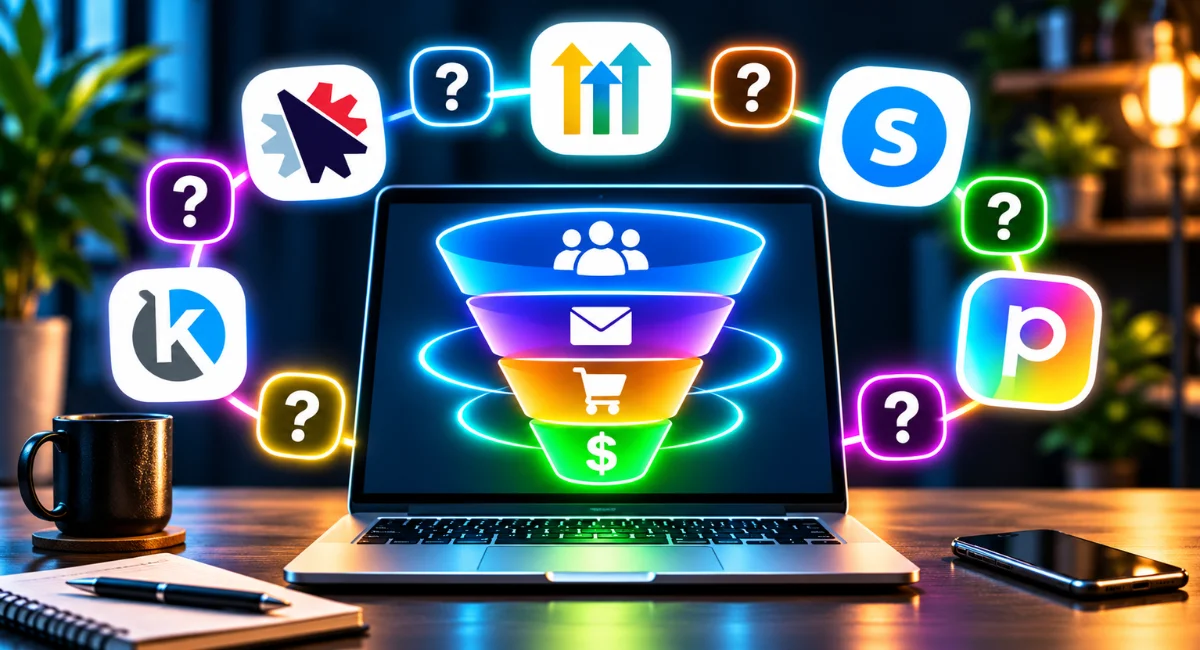
There are a lot of sales funnel and all-in-one marketing platforms out there and they suit very different businesses. Answer nine quick questions about how your business actually works, then get one clear pick, why it fits you, and a runner-up.
No email needed, your result shows straight away
Because the right tool for an agency is often wrong for a product seller.
Some tools build pages, some run email, and some do the whole hub.
Some tools handle one business, while some are built for client accounts.
Your current site decides whether the tool should plug in or host it.
The tool needs to match how much follow-up you will actually do.
A tool built for ad traffic behaves differently to one built for search or local.
Price filters out tools that are too heavy before you get attached.
Your top priority decides between speed, cost, simplicity or training.
Some tools hold your hand, while others reward a bit of tinkering.
GoHighLevel gives you one hub for running client work and local businesses. It combines CRM, pipelines, booking, email, SMS, calls and AI responses under one account.
See your 3 bonuses
Kartra gives you one platform for selling courses, memberships and products. Pages, funnels, checkout, email, helpdesk, calendars and affiliate management are included.
Systeme.io gives you a beginner-friendly all-in-one start without a monthly cost. Funnels, email, courses, blogging and affiliate management sit together on a free-forever plan.
Perspective gives you a mobile-first funnel builder for turning paid traffic into leads. Its pages load in about half a second, with quizzes and validation to filter out fake leads.
SamCart gives you a checkout built to turn more visitors into buyers. One-page checkouts, order bumps, one-click upsells, cart recovery and tax handling do the work.
ClickFunnels gives you the best-known funnel builder with training built in. It offers templates, webinar funnels, membership sites, email funnels, affiliate management and a large community.
ThriveCart gives you a checkout and cart for one-time and subscription payments, an affiliate centre, A/B testing and integrations. It's sold as a subscription with a 30-day free trial, and a lifetime option is still available.
Convertri gives you a page builder focused on very fast loading. Its free-form editor, automatic mobile optimisation and dynamic text replacement keep pages fast and relevant.
CartFlows gives you a sales funnel builder inside your WooCommerce store. Optimised checkouts, order bumps and one-click upsells work on your own WordPress site.
GetResponse gives you an email-first system that also builds conversion funnels. Behaviour-based automation, newsletters, landing pages and webinars handle follow-up and leads.
Leadpages gives you a simple way to publish landing pages and forms. Clean templates, pop-ups, alert bars, unlimited leads and integrations do the job without extra complexity.
It is especially good for agencies wanting CRM, email, funnels, and booking all in one place. This link gets you an extended 30-day free trial.
Try the runner-up →It works best for running everything in one place, including email, courses, and helpdesk. This link with the code SteveW30 gets you an extended 30-day free trial plus 30% off any plan.
Try the runner-up →Systeme.io is great for starting free with funnels, email, and course hosting.
Try the runner-up →Turns ad traffic into real leads with half-second mobile pages, quizzes, and validation that filters fake leads. This link gets you an extended 30-day free trial.
Try the runner-up →SamCart is ideal for boosting revenue with order bumps, upsells, and high-converting checkouts.
Try the runner-up →ClickFunnels is known for building sales funnels quickly with proven templates and a supportive community.
Try the runner-up →A checkout and cart with subscription pricing, a 30-day free trial, and a lifetime option. It handles one-time and subscription payments and an affiliate centre.
Try the runner-up →Convertri specialises in ultra-fast pages and funnels optimised for mobile speed.
Try the runner-up →CartFlows is great for adding one-click upsells and order bumps to your WooCommerce store.
Try the runner-up →GetResponse is excellent for email marketing with built-in landing pages and webinar hosting.
Try the runner-up →Leadpages makes it easy to create simple landing pages and opt-in forms fast.
Try the runner-up →These were in the running too, and here's why each one fits you less well than your match.
- GoHighLevel: It's a monthly platform, and your budget is free, under about $50 or pay-once.It has a learning curve, and you want something simple and guided.You mainly need pages or a checkout, and its full CRM hub is more than you need.It's built for client work, local businesses and multi-channel follow-up, which is more than your setup calls for.
- Kartra: It's built for selling your own products, not running separate client accounts.It follows up by email, and doesn't do texts, calls or AI answering.It's a paid monthly platform, more than a free, low or pay-once budget.It's aimed at selling courses and products, not local appointment-based businesses.It shines for selling your own courses and memberships, which isn't the core of your business.
- Systeme.io: It's built for running your own business, not separate client accounts or reselling.It follows up by email, and doesn't do texts, calls or AI answering.It's a simpler all-rounder, and you want maximum page speed, design freedom or ad funnels.It's a beginner-friendly all-rounder, and you need something more specialised.
- Perspective: Its native email automation is basic, so it can't handle the follow-up you need.It's not built for checkouts, course hosting or email marketing, which you need.It's built for converting ad traffic, and your visitors come from search, local or launches.It specialises in turning ad traffic into leads, which isn't the centre of what you need.
- SamCart: It has no email autoresponder, and you want your tool to handle follow-up.You want one all-in-one hub, and it's a checkout platform that pairs with other tools.It's a paid monthly checkout platform with no free plan, so it doesn't fit a free or low budget.It's a checkout specialist, and checkout isn't your main need.
- ClickFunnels: It's a paid monthly platform, more than a free, low or pay-once budget.Its pages can load slower and it isn't great for blogging, which matters for speed or search traffic.It isn't built around client sub-accounts or local follow-up like texts and calls.Its strength is its training and community, which isn't your top priority.
- ThriveCart: It has no free plan, only a 30-day free trial, and you want to start free.It's a cart and checkout with no email or follow-up tools, which you need.It's a checkout, not an all-in-one hub for courses, email and funnels.It's a checkout and cart tool, and a checkout isn't your main need.
- Convertri: It's a page builder, not an all-in-one hub for email, courses or CRM.It has no free plan or lifetime option, and its plans start at $99 a month.Its free-form editor has a learning curve, and you want hand-holding.It's a specialist for very fast pages with design freedom, which isn't your priority.
- CartFlows: It only works on WordPress with WooCommerce, and you don't run a WooCommerce store.It adds checkouts to WooCommerce and doesn't do email, courses or CRM.It's for WooCommerce stores, which isn't how you sell.
- GetResponse: It's email-first, and its page builder and selling tools are secondary to what you need.It's email only, and you want texts, calls or AI answering.You want one hub with CRM and booking, and it's mainly email marketing.It's an email marketing tool first, and email isn't your main need.
- Leadpages: It only builds landing pages, so it can't be the all-in-one tool, checkout or email platform you need.It has no email autoresponder, so it can't handle your follow-up.It's a simple landing page builder, and you need more than that.
- Builderall: Its huge number of tools and learning curve can overwhelm if you want things simple and guided.Its huge toolset comes with a learning curve, and the tools above match your needs more directly.
- Unbounce: It's a landing page builder, so you'd still need separate tools for checkout, email and CRM.It can be expensive for smaller businesses and has no free plan for your budget.It's a landing page specialist, and you need more than landing pages.
- Thrive Themes: It only works on WordPress, and you don't want to run WordPress.Its pages are heavier and can load slower, which hurts ad and conversion-focused funnels.It needs a separate autoresponder and CRM for follow-up.It's a set of WordPress plugins that still needs separate email and CRM tools.
- DropFunnels: It has no autoresponder, so you'd need another tool for follow-up.It has limited integrations and you can't add your own WordPress plugins.
- Landingi: It's a landing page builder with only basic email, so you'd need other software for everything else.It's a basic landing page tool, and you need more than that.
- Wishpond: Its pricing is behind a sales call and it's expensive for a tight budget.It's only worth its price if you'll use its referral and social promotion campaigns.
ThriveCart vs SamCart TL;DR Overview
Here are the main differences between ThriveCart and SamCart:
- SamCart's checkouts have a more modern look compared to ThriveCart
- SamCart has a better product delivery process
- SamCart offers a 7-day free trial, while ThriveCart gives you a 30-day free trial.
- SamCart has more templates than ThriveCart
- SamCart has been around longer
- ThriveCart is cheaper month to month and still offers a lifetime option, while SamCart is subscription-only.
- ThriveCart lets you embed your checkouts anywhere, whereas SamCart doesn't
- ThriveCart has a video cart feature, while SamCart doesn't
- ThriveCart has a few more additional sales options, like digital sales tax calculations, mobile payment options, and two-step cart options
- Both platforms have membership site builders for hosting online courses
As you can see, they both have their differences, and choosing between them can be quite hard. That's why I'll explain both of their features in more detail so that you can choose between them.
I saw people mention in Facebook groups that SamCart doesn't have Google and Apple Pay. However, this is NOT TRUE, as it does have them as payment options for your customers.
What Is ThriveCart?

ThriveCart is a SaaS tool that launched on 1st February 2016.
The platform allows you to easily create shopping carts that you can use to sell your products. It promises to increase conversions and backs this with its own money-back guarantee.
Besides merely having the usual shopping cart features that you’d expect, ThriveCart also has some extra innovative features, too. One of these is the ability to embed your carts anywhere on other platforms, which I thought was pretty cool.
For example, if you have a WordPress blog then you can create a shopping cart using ThriveCart and then embed it into a page on your blog. That’s pretty useful!
ThriveCart now offers subscription plans as well as a lifetime option, which I'll cover in the pricing section.
ThriveCart Pros & Cons
- Affordable plans with a lifetime option
- Great set of features
- Good support
- Money-back Guarantee
- Templates aren’t the best, and there's not a lot of them
- A little harder to use than SamCart
What Is SamCart

SamCart is a little more known than ThriveCart because it has been around longer.
SamCart was co-founded by brothers, Brian and Scott Moran in 2014. Since then SamCart has become an industry leader in the shopping cart market, and for good reason.
It's one of the most well-known shopping cart SaaS tools, and its users love it, especially for its ease of use. SamCart offers similar features to ThriveCart, but with a few key differences.
Since it’s been around longer and is fully established, SamCart does not offer a lifetime deal. Fortunately, the monthly cost of using SamCart is reasonable compared to its competitors.
SamCart can integrate with WordPress, but you need to use a third-party tool called Zapier in order to do so.
If SamCart can significantly impact your conversions, then the cost is still more than worth it.
But, let's look at SamCart’s features first before we get into the prices for using this software platform
If you can’t wait then feel free to skip ahead to the pricing section, below.
SamCart Pros & Cons
- Unmatched revenue-optimization
- Easily create beautiful pages
- Great list of integrations
- Robust reporting & analytics
- No extra fees beyond standard payment processing
- Membership site builder available on all pricing plans
- Can't use it to build a store with a massive selection of products
- Dedicated live support costs extra
- Order bumps and upsells need the Pro plan
ThriveCart Features
Now you’ve got a good overview of the two platforms, let's look at the features they have to offer and see how they compare.
First, I'll dive into ThriveCart, and reveal what's hot, and what's not about this shopping cart tool.
Checkout Builder
The ThriveCart checkout builder has everything you need to create a high-converting offer. It's straightforward to use, and you can create virtually any type of offer with it.
Some of the offers you can create include:
- Free & Paid
- Tripwires
- Discounts & Coupons
- Pay what you want (PWYW) checkouts
- Split-payment plans
ThriveCart's 1-Click Order Bumps
The one-click order bumps feature is vital for increasing conversions. The order bump will help you make more money from each visitor because it has the potential to increase your customer's cart value.
In case you don’t know what it is, an order bump is a last-minute, impulse offer that you can put in front of your customers at the checkout. The order bump shows up as a little checkbox right on the checkout page that your customer can tick to add to their cart.
As you can imagine, this can be highly effective, especially when your order bump compliments the original purchase. So, another plus point for ThriveCart.
Funnel Builder With 1-Click Upsells & Downsells (Post-purchase)
ThriveCart's funnel builder is pretty decent. It will let you create a page for your checkouts, complete with an upsell, down sell, and thank you page.
The upsell and downsell pages also help to increase the value of a customer. It does this by presenting the customer with a separate page with an additional offer that they can purchase with one click.
This is possible because the customer’s payment information is already saved from the first purchase.
Pretty clever, right?!
The reason this is effective is that once they make the decision, they've instantly purchased the offer. This gives them less time to doubt their buying choice while entering their credit card information for a second time.
2 Step Carts
Another feature in ThriveCart that I really like is the 2-step carts. This is basically a checkout where the customer enters their information before the payment for some type of incentive, such as an exclusive deal.
The advantage of this feature is that you can still follow up with the customer, even if they don't like the deal.
And ultimately, this will lead to more sales because you can recoup some abandoned carts. With the average abandoned cart rates ranging from 68.81% to 74.5%, it's really important that you have features like this in place.
Split-Testing with ThriveCart
ThriveCart lets you split-test all of your carts and funnels. This, combined with the comprehensive analytics, which we'll talk about in a moment, will give you everything you need to create the highest converting checkout experience possible.
Embed Your Carts Anywhere
This is a ThriveCart that I really like, as it allows you to embed your shopping pretty much anywhere (provided you can paste the code).
So, if you want to display your carts on another page builder or website platform like Wix or WordPress, then you can embed the checkouts on those platforms.
That's pretty cool as it means you won't be locked into the platform, and you can combine the power of ThriveCart with other tools.
Related Article: Best Sales Funnel Software Tools
ThriveCart's Affiliate Center
ThriveCart also has an affiliate center built-in to the platform. This means you can recruit and manage affiliates from your ThriveCart dashboard.
Personally, I was very impressed with this feature, as it’s more advanced than most other options on the market.
Having said that, it’s not surprising that I have come across a lot of companies that are using ThriveCart for their affiliate program.
The ThriveCart affiliate center has all the basics such as allowing you to create various affiliate programs, setting up custom commissions, hosting affiliate tools, running competitions, etc.
But what I was impressed by was the ability to set up custom bonus pages for your top affiliates, which will help them make more sales. And if they make more sales, you do too.
Intelligent Behavior & Automation Rules
Another area where ThriveCart sets itself apart from many other cart platforms is its intelligent automation features.
For example, you can automatically follow up on abandoned carts with ThriveCart, or you can chase subscribers that haven’t been paid.
Plus, you can also modify your affiliates' commission rates based on their refunds or sales.
For example, if some affiliates have high refund rates, you could decrease their commission rates. Or, if they made lots of sales, you could increase it.
ThriveCart Subscriptions
Everyone knows how effective subscription-based business models are for building a passive income. It's basically the wet dream of almost all online business owners.
The problem is that many platforms don't allow you to set up monthly billing, or it's very confusing, at least.
ThriveCart gives you everything you need to set up subscription billing, and it's also straightforward to implement.
Plus, as already mentioned, you can set up free or paid trials and automatically chase customers for subscriptions that haven't been paid, thanks to the dunning feature.
Intelligent Business Insights
Finally, ThriveCart comes with intelligent business insights such as analytics, projected sales, and more. Again, this is something that I was very impressed with, as the insights you get are detailed and advanced.
For example, it calculates lifetime value automatically, and you can also see your live traffic, conversions, or projected sales.
Besides, you can also add 3rd party tracking codes like Google analytics.
What ThriveCart Has That SamCart Doesn't Have
Despite ThriveCart being a lot more affordable than other options on the market, it does have some great features that SamCart doesn't have.
So,here are the features that TheiveCart has that SamCart does not have:
2-Step Carts
SamCart doesn't have this feature, and it would probably be quite hard to get it. If you think 2-step carts will be a key part of your strategy, it may be worth choosing ThriveCart over SamCart.
Embeddable Carts
Again, SamCart does not let you embed your shopping carts.
This means the ThriveCart checkouts you create won't be locked inside the platform. But, with SamCart, if you ever wanted to use the cart anywhere else, you would be locked into it.
Bonuses for Affiliates
Of course, your affiliates can always manually offer bonuses, but it's not quite the same as having dedicated pages and bonus delivery options that they can use.
SamCart Features
ThriveCart has some pretty good features, so let's take a look at how SamCart compares to ThriveCart.
Sales Page Design & Templates
SamCart has a feature they call the sales page design. This is basically their page builder and will let you build funnels similar to ThriveCart.
Here's what SamCarts sales page builder comes with:
- Unlimited products
- Drag & Drop builder
- Pre-designed templates
- Localization
- Digital wallets
In terms of features, it's very similar to ThriveCart's checkout builder. However, SamCart doesn't have the 2-step carts feature that ThriveCart offers.
On the other hand, ThriveCart doesn't have the localization feature offered by SamCart, so you’ll need to weigh up here which feature is more important to you.
In my opinion, SamCart is a little easier to use, and it also has a larger selection of templates to work with. I also found that the templates look more modern than those on the ThriveCart platform.
Templates aren't necessarily a deal-breaker because you can always create them yourself. But using them does make your work a hell of a lot quicker, easier, and more enjoyable, in my opinion.
However, the difference between the templates on both platforms is quite significant. SamCart even offers industry-specific templates, which is super-helpful, while ThriveCart only has around 10 standard templates in total.
But apart from those few differences, this feature is very similar to ThriveCart’s builder.
Revenue Optimization
Again, this next section of features is very similar to ThriveCart’s. Here’s what you get:
- One-click upsells
- Pre-purchase order bumps
- A/B testing
- Add to your order (post-purchase)
- Advanced Reporting
- Pay What You Want
As we saw earlier, ThriveCart has most of these features too. The only one which is unique to SamCart is the ability to add products post-purchase.
SamCart's Cart Abandonment
SamCart gives you everything you need to chase after abandoned carts. To do this, you can simply integrate with email marketing software to send a follow-up and try to make the sale. This, in combination with discounts and emails, is very effective.
SamCart Subscriptions
The SamCart app also has everything you need to set up subscription billing. And again, you can be very flexible with it, as you can create a range of payment types, free trials, etc.
You can also automatically chase after unpaid subscriptions using the dunning feature, which will keep billing the customer until the payment goes through.
Again, this is pretty much identical to what ThriveCart offers.
SamCart Payment Options
SamCart gives you a lot of payment options to create almost any type of offer.
Here are some of the things you can do with SamCart:
- Free & dollar Trials
- Split-billing
- Several payment terms/options
SamCart's Affiliate Center
Just like ThriveCart, SamCart also has a built-in affiliate center. The only difference between these two affiliate centers is that ThriveCart lets your affiliates have bonus pages, while SamCart doesn't.
Core Commerce
SamCart has pretty much everything you need for core commerce. It comes with basic support for GDPR, Taxes, and Vat; however, ThriveCarts sales tax collection is a little more automated.
Similar to ThriveCart, SamCart comes with:
- Coupons & Discounts
- Custom Fields
- Partial refunds
Additionally, they both come with a range of integrations, which we'll take a more detailed look at soon in this article.
What SamCart Has That ThriveCart Does Not Have
SamCart has some great features that ThriveCart doesn't have. Below, I explain them in more detail.
More Templates
One of the main incentives to go for SamCart over ThriveCart is the templates offered. They look more modern, and there's a lot more of them.
With ThriveCart, you can build your own sales page, but you don't have the amount of flexibility other page builders give you. And the templates look a little outdated.
Add To Order (Post Purchase)
SamCart has a feature that lets users add to their order post-purchase. This is possible with ThriveCart too, but it's not as smooth as it is with SamCart, so it’s worth mentioning here.
Better Interface
The interface inside of SamCart just looks better than ThriveCart's, in my opinion. This, alongside the templates, is the only complaint I have heard about ThriveCart.
But SamCart is superior in this aspect, and it's something that they have put a lot of effort into.
Free Trial
Both platforms now offer free trials, so you can try before you buy.
ThriveCart gives you a generous 30-day free trial on its Standard and Pro+ plans. SamCart offers a 7-day free trial (you can sign up here).
ThriveCart Integrations
Payment Gateways:
- PayPal
- Authorize.net
- Apple Pay
- Google Pay
Autoresponders:
- ActiveCampaign
- AWeber
- ConverKit
- Drip
- MailChimp
- GetResponse
- HubSpot
- Keap
- Ontraport
- Sendy
- MailerLite
- Moosend
Membership Site Integrations:
- Teachable
- Digital Access Pass
- Membermouse
- MemberPress
- Thinkific
- LifterLMS
- Thrive Apprentice
- Optimize Member
- Wishlist member
Webinar Platforms:
- Demio
Fulfillment Services:
- Disk.com
- Kunaki
- Lulu
- Printful
- Shippo
- ShipStation
- Shopify
- Vervante
- Google Sheets (allows you to integrate with your local fulfilments centers)
Other:
- Slack
- Zapier (which lets you integrate into a lot more platforms)
SamCart Integrations
Payment Gateways:
- Paypal
- Braintree
- Authorize.net
- Stripe
- Google Pay
- Apple Pay
Autoresponders:
- Klaviyo
- MailChimp
- Drip
- ActiveCampaign
- Constant Contact
- Aweber
- ConvertKit
- iContact
- GetResponse
Affiliate management:
- Post Affiliate Pro
Membership Site Integrations:
- Memberpress
- Thinkific
- Wishlist
- Membermouse
- Kajabi
- Digital AccessPass
- OptimizePress
CRM:
- Infusionsoft
- Hubspot
- Ontraport
Fulfillment:
- Intercom
- Shipstation
Other:
- WordPress
- Zapier
ThriveCart vs SamCart Pricing
ThriveCart now offers subscription plans (Standard at $47 a month, Pro+ at $87 a month) plus a lifetime option. Keep in mind that you don't get all features on every plan, and the same goes for SamCart.
Make sure to read the pricing tables below carefully to ensure you know what features you're getting with each platform.
ThriveCart Cost
ThriveCart now offers monthly and annual subscriptions, with a 30-day free trial on the Standard and Pro+ plans. A lifetime option is also available (see ThriveCart).
Here are the current subscription plans:
- ThriveCart Standard: $47 a month or $444 a year (about $37 a month)
- ThriveCart Pro+: $87 a month or $804 a year (about $67 a month)
- ThriveCart Enterprise: custom quote
Standard includes unlimited products and funnels, 1 order bump, 1-click upsells and downsells, A/B split testing, abandoned cart recovery, sales tax automation, subscriptions with BNPL and split pay, and ThriveCart Academy Starter for courses.
Pro+ adds the Affiliate Center with automated payouts, joint venture contracts, subscription dunning, multiple order bumps, custom branding and domains, multi-user permissions, business intelligence reporting, coupon analytics, and UTM tracking.
SamCart Cost
SamCart doesn't have any lifetime deals. Its plans are subscription-based, with a 7-day free trial. You can see the full details on the SamCart pricing page.
The only catch is that features like split testing and affiliate management are reserved for the Pro plan at $199 a month.
Compared to ThriveCart, SamCart costs more month to month: Core at $79 vs ThriveCart Standard at $47, and Pro at $199 vs ThriveCart Pro+ at $87.
Core $79 Per Month
Core includes:
- Unlimited pages, products, and checkouts
- 1 team seat
- SamPay only (2.9% + 30c, no added SamCart fees)
- Cart abandonment
- Courses App
- AI Assistant (limited AI usage)
- Limited video hosting
- Email and chat support
- Zapier integration
Pro $199 Per Month
Everything in Core plus:
- 10 team seats
- 1-click upsells and order bumps
- A/B testing
- Subscription Saver (dunning)
- Affiliate Center
- Advanced analytics
- API and third-party payment processors
- Unlimited AI usage and video hosting
Done for You (Custom)
Everything in Pro plus white-glove service, a dedicated account manager, priority support, multiple marketplaces, and unlimited seats. You'll need to book a call for a custom quote.
Final Thoughts - ThriveCart vs SamCart - Which is Best?
Overall, this has been a very close battle between ThriveCart vs SamCart. I think from a value point of view, ThriveCart comes out on top because its plans are cheaper and it still offers a lifetime option.
That said, SamCart is a more straightforward platform to use, it has nicer and more modern-looking templates than ThriveCart, and it has a great track record for increasing business ROI.
If you're on a tight budget and price is one of your main concerns, then ThriveCart will probably be your best bet. Its monthly plans are lower than SamCart's, it has a 30-day free trial, and a lifetime option is still available.
However, if your business is solely focused on selling either physical or digital products and you want a highly optimized checkout process to maximise sales, then go for SamCart.
You can also take advantage of SamCart’s free 7-day trial below and see how you like it.
Related Posts:

Steve West is the founder of entrepreneurnut.com, and has been working online since 2013. He specializes in SEO, YouTube, and affiliate marketing. Besides running his online business, he likes hiking, keeping fit, and eating cookies (which is why he needs to keep fit!)