

Becoming a digital course creator has never been easier thanks to online course software.
But at the same time, there are still so many potential pitfalls that could seriously harm your business. And one thing’s for sure: There’s a lot more of them if you’re on a platform that is not suited to your course.
That’s why in this article, we’re going to dissect the best online course platforms to help you find one that will assist in growing your online course business.
Best Platforms To Sell Online Courses
| Company | Main Features | Rating | Pricing |
|---|---|---|---|
Best Overall  |
| Check Pricing | |
Best For Advanced Users  |
| Check Pricing | |
Best For Interactive Courses  |
| Check Price | |
Best For Creators  |
| Check Pricing | |
Best For Lifetime Deal  |
| Check Pricing | |
Best For Agencies  |
| Check Pricing | |
Best For Sales Funnels  |
| Check Pricing | |
Best On a Budget  |
| Check Pricing | |
Great For Simplicity  |
| Check Pricing | |
Best For Customization  |
| Check Pricing | |
Great For Beginners  |
| Check Pricing | |
Low Cost All-in-One  |
| Check Pricing | |
Professional Look and Feel  |
| Check Pricing | |
Best For WordPress Users  |
| Check Pricing |
If you need more than a course platform, such as funnels, checkout, and email built in, take our quiz that matches you to the right all-in-one platform. It checks 17 tools against how your business actually works.
1. Skool (best overall)

Skool is more than just an online course platform; it’s a vibrant community hub designed to transform the e-learning landscape.
At its core, Skool is engineered to facilitate interactive learning, making it stand out in the digital education space.
With its user-friendly interface, Skool simplifies the creation and management of courses, enabling educators to focus on what they do best: teaching and inspiring.
What Skool Does Well
Skool shines in its ability to foster engagement and collaboration among its users.
Its integrated community features allow students to interact, discuss, and learn from each other, creating a dynamic learning environment that extends beyond traditional lecture-style education.
This platform is adept at hosting a variety of courses, from professional development workshops to comprehensive academic classes, making it a versatile choice for educators and learners alike.
Limitations of Skool
While Skool is innovative in its approach to community-based learning, it may not suit everyone.
Its emphasis on interactive, community-driven learning could be overwhelming for learners who prefer a more straightforward, self-paced course structure.
Additionally, while its tools and features are robust, it might lack some of the advanced analytics and customization options available on more specialized platforms.
Who is Skool Best For?
Skool is an ideal platform for entrepreneurs, business owners, and online course creators who aim to build more than just courses — they aim to build communities.
Its community-centric approach is perfect for those looking to engage audiences deeply, fostering loyalty and interactive learning environments.
Educators looking to break free from traditional teaching methods will find Skool’s tools for creating dynamic, engaging courses invaluable. However, it might not suit those focused solely on delivering highly specialized content without the need for interaction or who require advanced analytics for tracking learning outcomes.
In essence, Skool shines for those prioritizing community engagement and interactive learning over traditional, lecture-based approaches.
Skool Pricing
Skool now keeps things simple with two plans:
Hobby plan – $9/month
- Unlimited members, courses, videos and live calls
- Custom URL and affiliates
- 10% transaction fee
Pro plan – $99/month
- Unlimited members, courses, videos and live calls
- Custom URL and affiliates
- 2.9% transaction fee
Annual billing gives you two months free.
Skool 14-Day Free Trial
Skool also offers a risk free 14-day trial, meaning you can try out all features of Skool free of charge for 14 days. If you dont like it, just cancel before your 14 days are up and you won’t be billed.
Otherwise, if you love the platform, then do nothing and you’ll be billed for the plan you chose after your 14-day trial: $9 a month on Hobby, or $99 a month on Pro.
2. GoHighLevel (all-in-one platform)

GoHighLevel is an amazing software tool for businesses to handle online marketing and sales. It’s perfect for anyone looking to grow their business online.
What’s really cool about GoHighLevel is its course creation feature. It lets you easily turn your knowledge and skills into an online course. This is super useful if you want to teach people online or set up a membership site.
Creating a course with GoHighLevel is simple, so you don’t need to be a tech expert. It’s an all-in-one platform, meaning you can create, market, and sell your course all in the same place.
You also get to make your course look just how you want, which makes it unique and engaging for your students. Plus, GoHighLevel isn’t just for courses; you can also build membership sites, giving your students a special place to access all your content.
One of the best parts is that GoHighLevel lets you keep track of how your students are doing. This helps you understand your audience better and improve your courses.
Who Is GoHighLevel Best For?
GoHighLevel is an ideal tool for content creators focused on digital marketing and sales, particularly educators, coaches, influencers, and agencies.
This platform simplifies creating and selling online courses, perfect for experts eager to share knowledge in any field. Its user-friendly interface allows for easy course and membership site creation, without needing advanced tech skills.
For coaches and consultants, GoHighLevel streamlines client management and session scheduling, coupled with effective CRM and marketing tools. Influencers and bloggers benefit from its capabilities to monetize their audience through exclusive content offerings.
Agencies and freelancers find value in GoHighLevel’s white-label feature, enabling them to offer branded services to clients. It’s more than just a content platform; it’s a comprehensive tool for building and scaling an online content-based business.
GoHighLevel Pricing
GoHighLevel offers simple and straightforward pricing plans:
Starter Plan – $97/month
- Essential features for lead capture and nurturing.
- Includes full online booking, pipelines, social calendar, website builder, and more.
- Unlimited contacts and users.
- Allows setup of up to three sub-accounts.
Unlimited Plan – $297/month
- Includes everything in the Starter Plan.
- Offers API access for integration with various platforms.
- Provides unlimited sub-accounts for client management.
- Features a branded desktop app with custom domains for complete platform customization.
GoHighLevel Annual Discount
If you want to save more money, then you can get two months free when you opt for a GoHighLevel annual plan.
GoHighLevel 14-Day Free Trial
GoHighLevel also has a free 14-day trial. This means you can use all the features the platform has to offer completely free of charge for 14 days.
This gives you time to see if GoHighLevel is truly the right tool for you and your business before you commit to purchasing.
3. LearnWorlds (best for interactive courses)
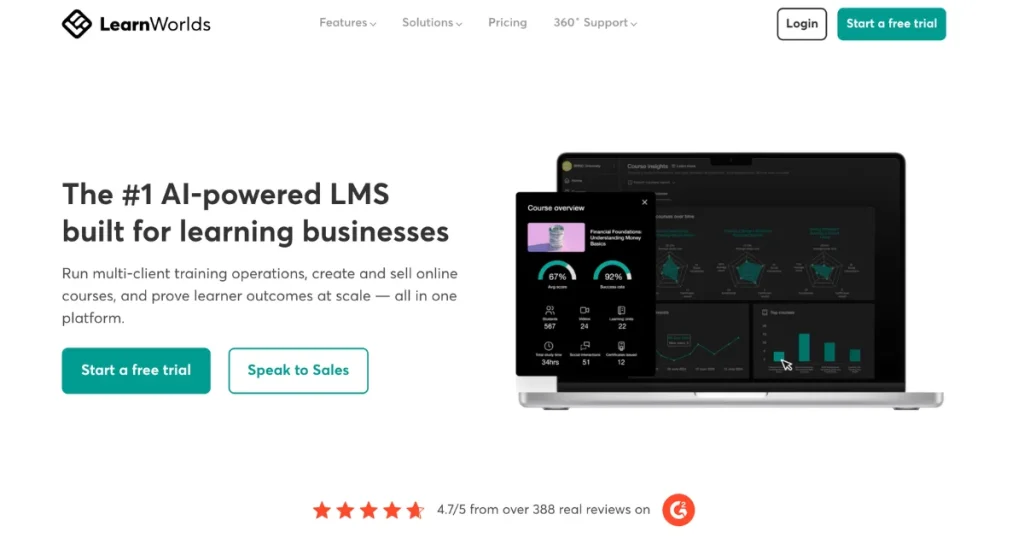
LearnWorlds helps you build courses people actually finish and engage with, rather than a folder of videos they abandon after lesson two. It is an online course platform (a learning management system, really) built for selling courses and running proper training programmes.
According to LearnWorlds, over 14,000 learning businesses use it to teach and sell.
If you have ever worried that your students just click play and tune out, LearnWorlds gives you the tools to hold their attention and check they understand as they go. That matters more than most new creators realise.
What’s Unique About LearnWorlds?
Here is where LearnWorlds stands apart from simpler course platforms.
- Interactive video: add quizzes, questions and a clickable table of contents directly inside your videos, with automatic transcripts. Students stay engaged and you can check they have actually understood, instead of hoping they watched.
- AI course builder: LearnWorlds AI helps you draft courses and quizzes. You get from idea to a first draft faster, without staring at a blank page.
- Certificates and SCORM support: issue course certificates, and upload SCORM files (on the Pro Trainer plan, up to 20). This lets you run certificate programmes and sell training to companies that expect proper standards.
- Built-in website builder and checkout: build your school’s site on your own domain and take payments through Stripe or PayPal. There is no need to stitch a separate website and checkout together.
- Community and branded mobile app: community spaces for your students, plus a branded mobile app (a paid add-on). Both keep learners coming back and interacting with your content.
Where LearnWorlds Falls Short
The Starter plan charges a $5 fee per course enrolment, which adds up quickly once you sell regularly. If you plan to grow beyond a handful of students, that fee becomes a reason to upgrade sooner rather than later.
It also takes a bit of time to learn, so expect to spend a few hours getting everything set up the way you want. And email marketing is limited. There are no automated sequences built in, so marketing-heavy creators will likely need a separate email tool.
Who Is LearnWorlds Best For?
LearnWorlds suits creators teaching skills that need practice and checking, like quizzes, assessments and interactive exercises. It is also a strong fit for coaches running certificate programmes and training businesses selling courses to organisations.
If your business is mostly about marketing funnels and email, an all-in-one like GoHighLevel (#2 on this list) may suit you better. But for interactive, completion-focused courses, LearnWorlds is hard to beat.
LearnWorlds Pros & Cons
Pros:
- Interactive video that keeps students engaged
- AI tools for building courses and quizzes
- Certificates and SCORM for professional training
- No transaction fees from the Pro Trainer plan up
- 30-day free trial
Cons:
- $5 per-enrolment fee on Starter
- Learning curve for beginners
- Basic email marketing, and the branded mobile app costs extra
LearnWorlds Pricing
LearnWorlds has three self-serve plans plus a custom Corporate plan, and you save up to 20% by paying annually. I’d recommend the Pro Trainer plan for most course creators because it removes the enrolment fee and adds subscriptions, payment plans, unlimited courses and certificates. (Pricing can change, so check the latest.)
- Starter: $49/month ($44/month billed annually), plus $5 per course enrolment
- Pro Trainer: $99/month ($79/month billed annually), no enrolment fees
- Learning Center: $299/month ($249/month billed annually), adds full white-label branding
- Corporate: custom pricing
You can try LearnWorlds free for 30 days with this link and see if the interactive tools feel right for your course.
4. SamCart (best for cross-selling)

SamCart has been one of the most popular shopping cart platforms for quite a long time now. But up until recently, you would have to integrate a third-party online course platform with it.
Now SamCart has launched its new Courses App – with the goal to solve the issues that other online course platforms have.
Since SamCart is primarily known as a shopping cart tool, we were skeptical at first. However, the new SamCart courses app is pretty awesome!
Besides allowing you to provide an excellent online learning experience to your audience, it also has some great automation tools and features to help you sell more in the process.
The platform can actually do quite a lot of things. If you want to know more about its other features, you can read about some SamCart use case examples here.
Pros:
- Incredibly easy to use
- VERY affordable, considering SamCart has not increased its prices since adding this feature
- Create unlimited courses
- Unlimited student
- Create different membership plans
- Upsells and cross-selling features
- Excellent engagement tools
- Includes some of the best Cart features on the planet
- Built-in affiliate management
- Lots of third-party integrations
- Annual plan discounts (25% off)
- 7-day free trial
Cons:
- One-click upsells and order bumps are not available on the base plan
- A/B testing, order bumps and 1-click upsells are available on the Pro plan ($199 a month, or $149 a month billed yearly), not on the entry Core plan.
Who Is SamCart Best For?
SamCart is best for most small business owners and solopreneurs mainly because of its ease of use. A lot of other online course builders can get annoyingly technical and have clunky builders.
SamCart, on the other hand, is straightforward and simple to work with.
Besides this, SamCart is known for its highly effective conversion features. And now, with the new SamCart courses app you can use the cross-sell feature to help you increase your revenue.
If you’re not familiar with cross-selling, basically it’s a powerful feature that you can use within the course builder to show your course members other products that you offer.
SamCart stylishly shows your course members your other products at just the right time to entice them to purchase more from you.
Using this feature alone can increase your revenue considerably, which is why we like it!
Besides, it’s also excellent for any business owner or entrepreneur who wants to leverage advanced shopping cart tools like:
- One-click upsells and downsells
- Cross-selling
- Two-step carts
- Order bumps
SamCart Pricing
SamCart gives you the core features on every plan, so you can host your courses on the $79 a month Core plan (the Courses App is included). But the advanced sales tools like 1-click upsells, order bumps, A/B testing and the affiliate center are only on the Pro plan at $199 a month, or $149 a month billed yearly.
- Core: $79 a month ($59 a month billed yearly)
- Pro: $199 a month ($149 a month billed yearly)
- Done for You: custom pricing, billed annually
5. ThriveCart (ThriveLearn)

ThriveLearn is the course creation and delivery platform integrated within ThriveCart, a popular checkout and sales solution.
ThriveLearn allows users to host and manage their courses, making it an ideal tool for those who want an all-in-one platform to handle both sales and course delivery.
The platform emphasizes ease of use and provides robust student tracking and engagement features.
What’s Unique About ThriveLearn?
ThriveLearn integrates directly with ThriveCart’s powerful sales and marketing tools, making it stand out for those who want seamless integration between checkout, affiliate marketing, and course hosting.
ThriveLearn offers:
- Customizable course structure: Build and structure courses with a simple drag-and-drop interface.
- Student tracking & engagement: Monitor student progress with detailed analytics.
- Quizzes & assessments: Test student understanding with built-in quizzes.
- Drip content: Release modules over time to keep students engaged.
- Video hosting: No need for third-party video platforms, as ThriveLearn allows direct hosting of course videos.
Where ThriveLearn Falls Short
Although ThriveLearn is highly effective for those already using ThriveCart, it lacks the advanced design flexibility and interactive features of other platforms like Kajabi or Teachable.
The focus on simplicity may leave some course creators wanting more customization options.
Who Is ThriveLearn For?
ThriveLearn is perfect for entrepreneurs and creators already using ThriveCart to sell products or services and looking for a straightforward, affordable way to create and deliver courses.
Its integration with ThriveCart’s affiliate and checkout tools is a strong benefit, particularly for those focusing on maximizing their sales funnel.
ThriveLearn Pros & Cons
Pros:
- Seamless integration with ThriveCart’s checkout and sales tools.
- No ongoing subscription fees.
- Easy to use, with built-in progress tracking and quizzes.
Cons:
- Limited customization and design options compared to other platforms.
- Lacks advanced community features.
ThriveLearn Pricing
ThriveCart now offers subscription plans with a 30-day free trial, but a lifetime option is still available as a secondary choice.
Here is. abreakdown of ThriveCart’s pricing:
- ThriveCart Standard: $47 a month, or $444 a year (about $37 a month), with a 30-day free trial. Includes ThriveCart Academy Starter.
- ThriveCart Pro+: $87 a month, or $804 a year (about $67 a month), with a 30-day free trial. Includes Academy Growth plan, affiliate center, custom domains.
6. Systeme.io (best on a budget)

Systeme.io is an all-in-one platform designed for entrepreneurs who need a comprehensive solution for building sales funnels, email marketing, and online courses.
It offers an integrated course creation tool, making it simple to manage course content alongside your marketing.
What’s Unique About Systeme.io?
Systeme.io stands out because it merges marketing automation with course delivery. It also has a completely free lifetime plan with very generous usage limits. No credit card is needed to sign up for the free plan of Systeme.io.
Its course features include:
- Drag-and-drop editor for easy course creation.
- Membership access control, allowing creators to restrict content.
- Quizzes and progress tracking to engage students.
- Email marketing to automate your email follow up and help you build your list.
Where Systeme.io Falls Short
Systeme.io lacks the in-depth design customization and advanced community-building features offered by competitors like Kajabi or Thinkific.
While perfectly functional, its simplicity might be limiting for creators looking for advanced course features.
Who Is Systeme.io For?
Systeme.io is best suited for small business owners or entrepreneurs who want an affordable, simple solution to manage both course creation and marketing in one place.
It’s ideal for those who need a low-cost alternative to handle course hosting, funnel building, and email marketing without juggling multiple tools.
SIO Pros & Cons
Pros:
- All-in-one platform for course creation and marketing.
- Affordable pricing, with a free plan available.
- Easy to use, especially for beginners.
Cons:
- Limited customization and design options.
- Fewer advanced course features compared to other platforms.
Systeme.io Pricing
- Free plan – Free
- Startup – $17 a month ($170 a year billed annually)
- Webinar – $47 per month
- Unlimited – $97 per month
- Systeme.io annual plan discounts here
- 40% off Syseme.io Startup Plan here
Check our in-depth guide for a full breakdown of Systeme io’s pricing.
7. Kartra (best for agencies)

Kartra is another all-in-one marketing platform designed to streamline online business operations.
It combines tools for sales funnels, email marketing, and membership site creation, making it ideal for entrepreneurs, course creators, coaches, and agency owners.
Kartra’s course platform allows users to create and host courses within their membership sites, fully integrated with its marketing tools.
What’s Unique About Kartra?
Kartra’s particularly stands out for its deep integration of course delivery with powerful marketing tools. Key features include:
- Membership sites for housing courses with flexible access levels.
- Drip content options for progressive course release.
- Custom quizzes and surveys to enhance student engagement.
- Integrated email marketing and automation, allowing creators to nurture leads and track student progress.
Where Kartra Falls Short
While Kartra excels in offering an all-in-one solution, its course-specific features may feel limited compared to dedicated platforms like Teachable. Advanced course design options are somewhat restricted, and the user interface can take some time to master.
Who Is Kartra Best For?
Kartra is ideal for entrepreneurs and businesses that want an all-encompassing platform to manage both marketing and course delivery. It’s best for those who prioritize having a complete business tool rather than just a course creation platform.
Kartra Pros & Cons
Pros:
- Fully integrated marketing and course creation tools.
- Membership site capabilities with flexible access levels.
- Extensive automation and analytics features.
- 22% discount if paying annually.
Cons:
- Course design features are not as robust as dedicated platforms.
- Learning curve for mastering all the tools.
Kartra Pricing
Kartra offers on a subscription model, offering several pricing tiers based on the number of leads and features required.
With Kartra, you can also save up to 22% if you choose to pay yearly.
- Essentials: $59 a month ($52 a month billed yearly), 500 contacts, 5% transaction fee
- Starter: $119 a month ($99 a month billed yearly), 2,500 contacts
- Growth: $229 a month ($189 a month billed yearly), 12,500 contacts
- Professional: $549 a month ($429 a month billed yearly), 25,000 contacts
8. Podia (most affordable all-in-one)

Podia is an affordable all-in-one online teaching platform that will let you create and market your educational material, and host your online classes.
The cool thing about it is that it gives you the key features that most other competitors charge DOUBLE or TRIPLE for… While also being user-friendly.
Their goal is quite similar to SamCarts: To take the technical headaches out of creating an online course so you can focus on what you’re best at.
Podia Pros and Cons
Pros:
- It’s very affordable compared to competitors like Kajabi
- It lets you host and sell webinars as well
- You can also sell coaching with Podia
- You can create a community for your students
- It comes with added marketing tools like affiliate management, a custom website, and email marketing.
Cons:
- The email marketing tool leaves room for improvement
- The platform’s built-in email is only suited to small lists because the subscriber limits range from 100 to 1,000 depending on your plan.
- There isn’t as much customization as on other platforms
Who Is Podia Best For?
Podia is best for beginners and new course creators. While the platform is very straightforward to use and also affordable – it does lack some of the advanced customization and sales features of competitors.
However, most small business owners won’t necessarily need them or may even find them confusing.
So if you’re into simplicity, Podia is for you.
Podia Pricing
Podia has three main price plans:
- Mover $49 a month ($42 a month billed annually), 5% Podia transaction fee, 100 email subscribers, 50 products; no affiliate marketing, upsells, PayPal or Zapier.
- Shaker $99 a month ($84 a month billed annually), 0% transaction fee, 500 email subscribers, 150 products; adds affiliates, upsells, PayPal, Zapier.
- Earthquaker $179 a month ($150 a month billed annually), 0% transaction fee, 1,000 email subscribers, unlimited products.
9. Kajabi (best for customization)

Kajabi is one of the top dogs of the course creator platforms and has been so for a while. Why?
Because it simply has some of the most advanced customization, branding, and marketing tools on the market – allowing you to create a better experience for your students and sell more courses.
Kajabi Pros and Cons
Pros:
- Arguably one of the best experiences for your students because of the amount of customization you can add
- The software and hosting can handle large amounts of traffic
- It comes with some great marketing tools like a website builder and email marketing software
- You can plan your campaigns via the Pipeline feature
- It has excellent sales tools
- Drip content
- Mobile app your users can use to watch your content
- Excellent engagement tools
- You can host your video content on Wistia for free with Kajabi
Cons:
- It’s pretty costly compared to competitors like Podia
- It can be a little overwhelming because of the amount of customization you have
- The email marketing feature has room for improvement
Who is Kajabi best for?
Kajabi is best for established course creators with an audience that is looking to scale. Since Kajabi is a cloud-based learning management system, it’s designed to handle large amounts of traffic.
Kajabi also has advanced engagement tools and branding features too.
Kajabi Pricing
Kajabi has three main pricing plans:
- Basic: $179 a month ($143 a month billed annually), 5 products, 2,500 contacts, 1 website, 1 community.
- Growth: $249 a month ($199 a month billed annually), 50 products, 25,000 contacts.
- Pro: $499 a month ($399 a month billed annually), unlimited products, 100,000 contacts, 3 websites, 3 communities.
10. Thinkific (best for structured courses)

Thinkific is a cloud-based learning management system for hosting online classes. It offers pretty much everything you need.
Whether it’s content hosting, website building, engagement tools – or even email marketing… Thinkific has it, and their Start plan is $109 a month ($82 a month billed annually).
It offers a 30-day free trial on the Start, Grow and Expand plans.
Thinkific Pros and Cons
Pros:
- It offers a 30-day free trial for beginners
- Free content hosting is included
- It also has decent marketing tools
- The membership sites look professional
- Easy to track progress
- Is affordable to host online classes
- Integrates with lots of third-party tools
Cons:
- The email marketing tool is not advanced – you’ll likely need an integration
- The website builder is quite primary, and it looks more like a small library of your courses
- No blogging feature will make it harder to get organic traffic
Who is Thinkific Best For?
Thinkific is best for two types of course creators:
- People looking for a free platform to get their foot in the door
- Business owners are looking for a scalable, robust, yet affordable online course platform
In addition, Thinkific is also easy-to-use, which is why it’s an excellent choice for beginners.
Thinkific Pricing
- Start $109 a month ($82 a month billed annually), unlimited courses, 1 community, 2 admins.
- Grow $219 a month ($164 a month billed annually), 3 communities, 6 admins, adds branding removal, API and webhooks.
- Expand $499 a month ($374 a month billed annually), 10 communities, 15 admins.
- Plus: custom pricing, contact sales, adds SSO, SCORM, learning paths.
11. ClickFunnels (best for sales funnels)

ClickFunnels is the most popular funnel-building software on the internet. It is known as somewhat of an all-in-one tool since you get a number of great marketing features even on the basic plan.
And that includes membership sites as well, so you can use it to host both free and premium courses.
The cool thing about using ClickFunnels compared to others on this list is that you will have access to advanced features, such as:
- Webinars
- A sales funnel builder
- Affiliate Management
- Email Marketing
Email marketing is built into every ClickFunnels plan, starting with Launch at $97 a month (50,000 emails a month and 10,000 contacts).
And if you prefer to use an outside email tool, ClickFunnels still has plenty of integrations to connect your favorite platform.
You can easily integrate with popular email marketing platforms like Aweber, GetResponse, or ActiveCampaign, for example, no matter which ClickFunnels plan you’re on.
ClickFunnels Pros and Cons
Pros:
- It’s been around for a while, so you know it’s not going to disappear
- It comes with one of the easiest-to-use sales funnel builders on the market
- Affiliate program management
- You can sell your courses via live webinars, or host them for your students
- You can share your funnels with other users (or vice versa)
- It has a lot of online training and marketing courses
Cons:
- It is pretty expensive, especially for beginners, as it starts at $97 a month. There are now four plans: Launch ($97/mo), Scale ($197/mo), Optimize ($297/mo), and Dominate ($5,997/year, annual only).
- The membership site builder is missing a couple of key features that some of the others have (such as engagement tools or advanced customization)
Who is ClickFunnels best for?
ClickFunnels is best for anyone who wants to focus on selling their course with sales funnels. What makes ClickFunnels the best option, in this case, is their advanced checkout options such as:
- One-click upsells and downsells
- Two-step carts
- Order bumps
And the fact that you can build complex sales funnels where you can cross-sell different products or services.In this aspect, it even has the advantage over SamCart because it has a lot more options and templates for funnel steps.
Clickfunnels Pricing
ClickFunnels now has four plans:
- Launch: $97 a month ($81 a month billed annually), 10K contacts, 50K emails a month, 3 courses
- Scale: $197 a month ($164 a month billed annually), adds conversion boosters, API, live chat support, 75K contacts
- Optimize: $297 a month ($248 a month billed annually), adds Affiliate Center, 150K contacts
- Dominate: $5,997 a year (annual only), VIP support, 400K contacts
Launch, Scale and Optimize come with a 14-day free trial; Dominate starts with a demo call.
12. Teachable (best quick starter)

Like Thinkific, Teachable is another cloud-based learning management system, and one of the most popular online learning platforms.
Teachable no longer has a free plan, but the entry Starter plan at $39 a month ($29 a month billed annually) charges a 7.5% transaction fee; Builder and up have 0% with Teachable Payments.
But Teachable aims to give users everything they need to create and sell courses while also being easy to use.
What I like about Teachable, though, is that they also have lots of educational material or challenges that you can take part in.
Teachable Pros and Cons
Pros:
- A decent set of features
- Excellent educational material
- Clearly laid out learning path for students to follow
- The websites on the higher plans don’t have Teachable branding
- The customization is pretty nice, so it’s suited for a wide variety of subjects
- The style of the courses is pretty nice, which could help you increase sales & provide a better experience to your users
- It comes with content hosting
- Issue certificates of completion to your students
Cons:
- High transaction fees on lower plans
- The lower plans do not allow you to remove Teachable branding (branding removal starts on the Growth plan at $189 a month).
- The price jump between plans is quite big ($39 to $89 to $189 a month, or $29 to $69 to $139 billed annually).
Who is Teachable Best For?
Teachable is best for course creators that enjoy the feel of the software, and who also want to use the higher plans.
The reason I say this is because the lower plans simply aren’t worth it for two reasons:
- The high transaction fee on the Starter plan (7.5%)
- The websites won’t contain your own branding
Teachable Pricing
- Starter: $39 a month ($29 a month billed annually), 7.5% transaction fee, 5 products.
- Builder: $89 a month ($69 a month billed annually), 0% fee with Teachable Payments, 10 products, adds affiliate program.
- Growth: $189 a month ($139 a month billed annually), 0% fee, 5 admin users, 50 products, adds certificates and branding removal.
- Custom: contact sales for flexible limits and a success manager
13. Skillshare (most affordable)

Skillshare is one of the most known but also unique ways to host an online course. Unlike some of the others on this list, Skillshare will likely send potential students your way.
However, because you will host your course inside the skillshare platform, the monetization options will be limited.
You won’t be able to add upsells or cross-link to some of your other products. Instead, you will be paid for having students inside your online course who pay a monthly fee to Skillshare.
Who Is SkillShare Best For?
Skillshare is best for course creators who don’t want to put too much effort into marketing.
When using Skillshare, you won’t have to rely on yourself for marketing – and you can focus on what you’re best at – creating and running courses.
Besides, it’s also an excellent way of getting your foot in the door when creating courses because you won’t have to worry about designing your website.
So, Skillshare is best for you if you don’t mind sacrificing some monetization opportunities to have less responsibility.
Skillshare Pros and Cons
Pros:
- Skillshare will likely send you students, and you won’t have to rely on yourself for students
- The Skillshare platform is very popular, so your course will benefit from that
- You can earn money through royalty payments and referrals
- Skillshare lets you build your own
Cons:
- You don’t sell your course.
- You’re always locked into the online platform and can’t sell anything from it outside
Skillshare Pricing
Here are Skillshare’s pricing plans:
- Premium Monthly: 15 per month
- Premium Annual: $8.25 per month. It is billed as one payment of $99 annually
- Team: It costs $99 per user per year
14. Thrive Apprentice (Best WordPress Course Builder)

Thrive Apprentice is a WordPress plugin that is part of the ThriveThemes umbrella. As this is a WordPress plugin, you’ll have first to get hosting and create your own WordPress website.
But compared to some of the other options on this list, it’s still affordable. Thrive Suite (all plugins) starts at $299 for the first year, then $599 a year, or $149 a quarter. Thrive Apprentice alone is $149 for the first year, then $299 a year.
Thrive Apprentice Pros and Cons
Pros:
- Very affordable
- You will have more control over your site than you do with any others on this list.
- It comes with a TON of tools to help you build your WordPress site
- Your content will never be locked into a platform
- It comes with an excellent visual editor
- Build unlimited courses
- You can build and customize your checkouts
Cons:
- You will need to pay for (good) hosting as well, and Thrive sites are pretty heavy
- You will have more responsibility with a self-hosted WordPress site (such as security, site speed, etc.)
- There are no monthly payment plans, but Thrive Suite does offer a quarterly option at $149 a quarter, as well as yearly billing.
Who is Thrive Apprentice Best For?
Thrive Apprentice is best for anyone who wants to sell a course using their WordPress site.
While hosting your course on a self-hosted WordPress site will give you a little more responsibility, it will also give you more control.
You’ll be able to run a more custom website on the front end and design the website however you want.
If you want to sell your services on the same website, that’s entirely possible.
Thrive Apprentice Pricing
Below are Thrive’s pricing options. This pricing is for Thrive’s complete suite of plugins:
- Thrive Suite Quarterly: $149 a quarter
- Thrive Suite Yearly: $299 for the first year, renewing at $599 a year (5 sites)
See all the Thrive Themes plugins here.
Online Course platforms: Final Thoughts
That’s it! I hope you have enjoyed my guide on the best online course platforms. As an online course creator, you actually have a lot of choices when it comes to online course builders.
In our opinion, SamCart is the best option overall – because it comes built-in, with what was initially just a sales platform, and for a very reasonable price. On top of this, it has a number of powerful conversion features that can considerably increase your revenue.
With SamCart, the course-building process is easy, and it gives you some excellent tools to sell your premium courses too.
Get Help Building Your Course
Picking the platform is the easy bit. Making the course is where most creators stall. Editing videos, designing slides and workbooks, writing the sales page… it’s a lot.
And it can drag on for months.
So, if you’re stuck, consider hiring help. I’ve found great talent on Upwork for all sorts of projects. You can bring in a video editor, designer, or copywriter to handle the heavy lifting.
- Video editor: to cut your raw footage into crisp, professional lessons.
- Designer: to create slides, workbooks, and course graphics that look the part.
- Copywriter: to write a sales page that actually sells.
The process is simple: post a job, freelancers propose, you choose. Most clients hire within three days of posting a job. I’ve used Upwork extensively, for ad-hoc tasks and ongoing work with VAs, and it’s worked really well for me.
Related Articles

Steve West is the founder of entrepreneurnut.com, and has been working online since 2013. He specializes in SEO, YouTube, and affiliate marketing. Besides running his online business, he likes hiking, keeping fit, and eating cookies (which is why he needs to keep fit!)