
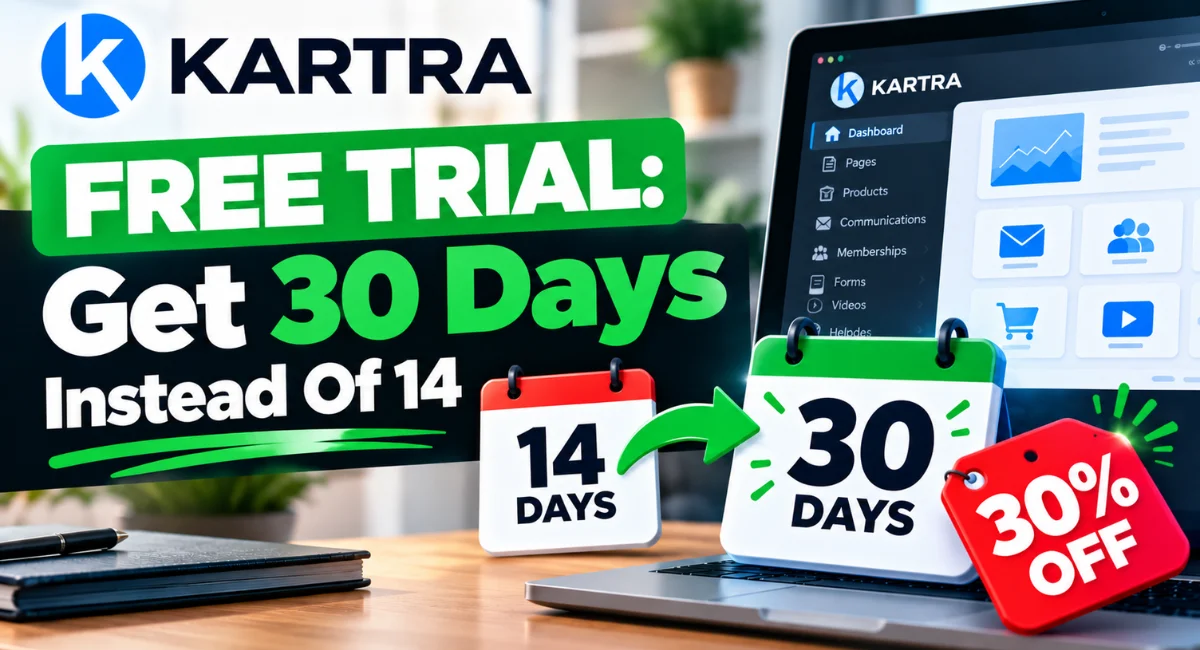
The Kartra free trial situation is genuinely confusing. The pricing page says 14 days.
But a 30-day trial is actually real, and with this link you also get 30% off your first payment using the code SteveW30.
Below I’ll walk you through exactly how to claim both, what you’ll pay when the trial ends, and the fine print that most articles skip right over.
Key Takeaways
- Kartra’s pricing page shows 14 days, but a 30-day free trial exists through a separate offer page.
- With this link you get 30 days free plus 30% off your first payment with code SteveW30.
- The discount works on Starter and Growth plans only, not Essentials or Professional.
- A payment card is required, but you can cancel any time before the 30 days end and you won’t be charged.
- Kartra has retired its webinar feature, so if you need webinars you’ll want a separate tool.
- The money-back guarantee covers your first payment only and is not an extension of the trial.
Is There A Kartra Free Trial? Yes, Up To 30 Days
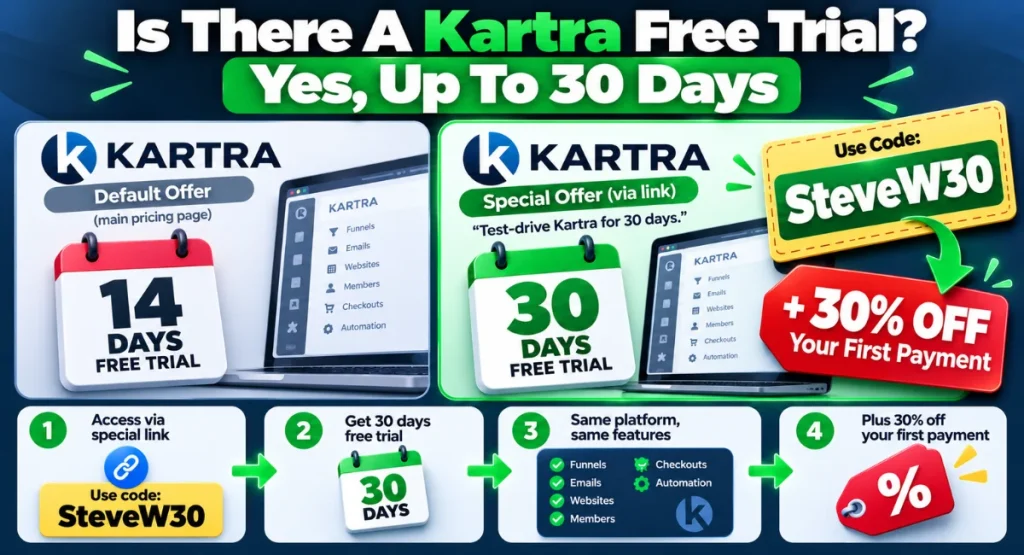
Kartra’s main pricing page advertises a 14-day trial, and that’s what most people see first. It’s also what a lot of other articles repeat, because they never looked deeper.
But Kartra also runs a separate offer page that extends the trial to 30 days. The page literally says “Test-drive Kartra for 30 days.”
So the Kartra 14 day trial is the default public offer, and the 30-day version is the one you get through this link. Same platform, same features, just more time to actually use it before deciding.
And here’s the bit that makes it properly worth your attention: that same link also gives you 30% off your first payment with the code SteveW30.
So you’re not just getting double the trial length.
You’re getting a better price if you stick around.
How To Get The Kartra 30 Day Trial (Step By Step)
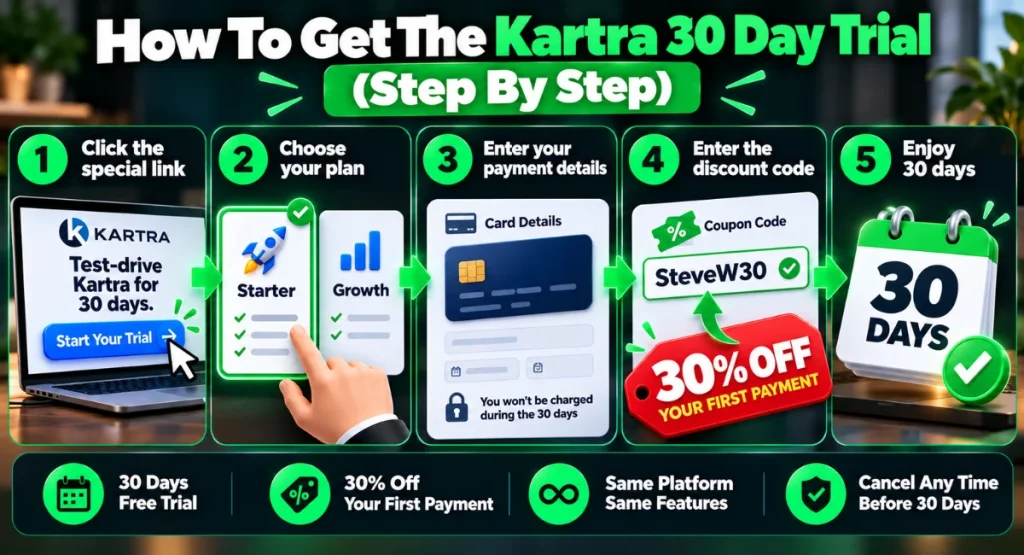
Here’s exactly how to get your Kartra 30 day trial.
1. Click start your 30-day trial here to open Kartra’s extended trial page, not the standard pricing page.
2. Pick either the Starter plan or the Growth plan. These are the two plans the discount applies to. I recommend Starter for most people, and I’ll explain why in a moment.
3. Enter your payment card details. You need a card to start the trial, and yes, that’s normal for platforms at this level. The important part: you can cancel any time before the 30 days end and you won’t be charged a thing.
4. At checkout, enter the code SteveW30 in the coupon field. That locks in the 30% discount on your first payment.
5. When the 30 days are up, Kartra bills your plan at the discounted rate for that first payment. After that first payment, future billing reverts to the normal price.
That’s it.
You’re in with 30 days to kick the tyres, and if you stay, that first payment is 30% lighter.
Kartra Discount Code: What SteveW30 Saves You
The code SteveW30 takes 30% off your first payment, and it works on two plans: Starter and Growth. It does not apply to Essentials or Professional.
Here’s what the savings actually look like in real numbers.
On the Starter plan, billed monthly, your first payment drops from $119 to $83. That saves you $36. If you go annual, the first payment drops from $1,188 to $832, saving you $356.
On the Growth plan, billed monthly, your first payment drops from $229 to $160, saving you $69. Annual billing drops from $2,268 to $1,588, a $680 saving on that first year.
A couple of things to note.
The coupon code is for new customers only. And the discount applies to the first payment, not every payment going forward. After that first billing cycle, you’re back to the standard price for your plan.
If you’re ready to claim it, claim 30% off with this link.
Which Kartra Plan Should You Trial?
Kartra has four plans. The discount only applies to Starter and Growth.
Here’s how they compare.
| Plan | Monthly | Annual (per month) | Contacts | Transaction Fee |
|---|---|---|---|---|
| Essentials | $59 | $52 | 500 | 5% |
| Starter | $119 | $99 | 2,500 | 0% |
| Growth | $229 | $189 | 12,500 | 0% |
| Professional | $549 | $429 | 25,000 | Not listed |
Essentials actually looks appealing at $59 a month, but that 5% transaction fee on every sale adds up fast. If you sell a $200 course, Kartra takes $10. Sell ten of those and you’ve handed over $100 in fees, which wipes out any saving versus just being on Starter.
I recommend the Starter plan for most people.
You get unlimited products, unlimited pages, 0% transaction fees, unlimited email and SMS, and video hosting. For a course creator, coach or small business owner selling their own stuff, it’s the sweet spot.
Growth adds automations, an affiliate programme, and surveys and quizzes.
Those are powerful, but you probably don’t need them on day one.
Professional adds real-time funnel analytics and a help desk live chat, which matters more at scale.
For a fuller breakdown of what each plan includes, I’ve got a dedicated Kartra pricing breakdown that walks through every tier.
What Happens When The Kartra Trial Ends?
When your 30 days are up, Kartra bills the card you used to sign up, at the plan’s normal price. If you used the SteveW30 code, that first payment gets the 30% discount, then future payments go to the standard rate.
You can cancel any time before the 30 days end and you won’t be charged.
You either cancel in time and pay nothing, or you let it roll and your plan starts.
One trial per person, by the way.
Kartra’s terms are clear that they can close accounts that attempt repeat trials. So don’t sign up, cancel, and try to grab another 30 days with a different email.
It won’t fly.
How To Cancel Your Kartra Trial
Cancelling is straightforward, but you want to do it properly and with time to spare. Head to your Kartra account’s billing settings and cancel from there.
Alternatively, contact Kartra support and ask them to handle it.
Either route works.
The key is timing. Do not wait until day 30. Set a reminder for day 25 or so, which gives you a buffer if something goes wrong or you simply forget.
Kartra’s billing system runs on schedule, and “I meant to cancel yesterday” won’t get you a refund unless you’re within the money-back window.
For more on handling free trials without getting caught out, the FTC’s advice is worth a read.
The Money-Back Guarantee Is Not An Extra Trial
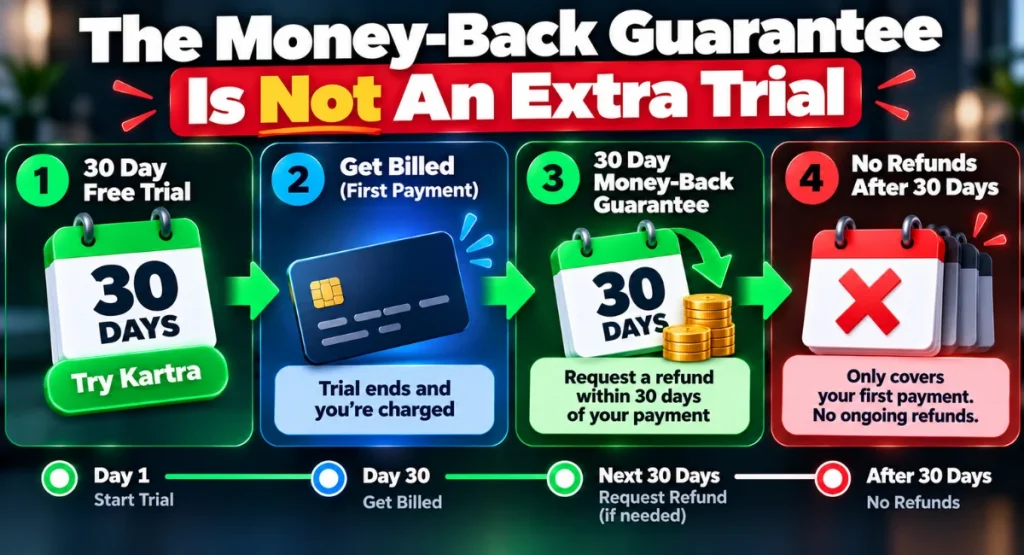
Kartra offers a 30-day money-back guarantee, and it’s easy to misread that as “60 days total if you combine it with the trial.” It doesn’t actually work that way.
The guarantee covers your first payment only, and you must request it within 30 days of that payment. So if your trial ends and you get billed, you have 30 days from that billing date to ask for a refund.
It’s a safety net for people who meant to cancel and missed the window, not a way to double your trial period.
Once that first payment window closes, there’s no ongoing refund policy for subsequent months.
You cancel when you’re done, and your access continues until the end of the billing cycle you’ve already paid for.
Kartra No Longer Does Webinars
This one catches people out, so I want to flag it clearly. Kartra has retired its built-in webinar feature.
From 1 November 2026, you can no longer create or edit webinars inside Kartra.
If webinars are part of your launch or teaching strategy, you’ll need a separate tool.
The option I point people to is WebinarJam.
With this link you can get 3 months of WebinarJam for $99, which is a solid deal while you’re getting Kartra set up alongside it.
Is There A Kartra 60-Day Trial?
No.
Some people search for a 60-day Kartra trial, probably because a few other platforms offer longer trials.
Kartra actually doesn’t.
The 30-day trial through this link is the longest available.
Is Kartra Worth Trying?
If you’re selling your own courses, memberships, coaching programmes or digital products, then is Kartra worth it? I think so, and the trial is how you find out without committing.
Kartra puts your pages, email, checkout, memberships and automations under one roof.
That’s the pitch, and for a solo business owner it actually reduces the tangle of tools you’re juggling.
You’re not stitching together a landing page builder, an email platform and a course host with Zapier holding it all together.
I’ve written a full Kartra pros and cons breakdown if you want the longer view before starting a trial.
One thing to know: Kartra is built for selling your own stuff. If you run an agency and need to manage client accounts, it’s not the right fit.
For that, something like GoHighLevel makes more sense. I’ve compared the two in my GoHighLevel vs Kartra piece.
Frequently Asked Questions
Does Kartra require a credit card for the free trial?
Yes, Kartra requires a payment card to start the trial. You can cancel any time before the 30 days end and you won’t be charged.
Can I get a second Kartra free trial?
No. Kartra limits trials to one per person and can close accounts that attempt to repeat a trial with different details.
How much is Kartra after the free trial?
After the trial, Kartra bills at your plan’s standard price: Essentials $59/month, Starter $119/month, Growth $229/month, or Professional $549/month. Annual billing saves up to 22%.
Does Kartra have a free plan?
No, Kartra does not offer a free plan. The 30-day trial is the only way to use Kartra without paying.
Can I cancel Kartra anytime?
Yes. You can cancel through your account’s billing settings or by contacting support, and your access continues until the end of the current billing period.
Start Your Kartra Free Trial
The Starter plan is where I’d begin. You get unlimited everything that matters, zero transaction fees, and enough contact capacity to grow into.
Thirty days gives you real time to build something and see how it feels.
With this link you get those 30 days instead of the standard 14, and the code SteveW30 takes 30% off your first payment if you stay.
No hidden catches, just a longer runway and a better price on the way in.

Steve West is the founder of entrepreneurnut.com, and has been working online since 2013. He specializes in SEO, YouTube, and affiliate marketing. Besides running his online business, he likes hiking, keeping fit, and eating cookies (which is why he needs to keep fit!)