
The GoHighLevel vs Kartra question stalls a lot of smart builders.
Two all-in-one marketing platforms, both promising to replace your entire tool stack, and you’re left staring at two pricing pages wondering which one actually fits.
Here’s the real pivot: whose business are you building, yours or your clients’?
In this article you’ll see who each platform is built for, what each actually costs once you factor in the charges nobody advertises, the Kartra webinar change coming on 1 December 2026, and a quiz that gives you a straight answer in five questions.
Key Takeaways
- GoHighLevel is built to run client businesses (CRM, pipelines, sub-accounts) and resell the platform under your own brand.
- Kartra is built to sell your own courses, memberships and digital products, with less setup out of the gate.
- Kartra webinars are fully retired on 1 December 2026, and Kartra itself now recommends WebinarJam for anyone who still needs live webinars.
- Starting prices look close ($97 vs $59 per month), but Kartra’s Essentials plan carries a 5% transaction fee and GoHighLevel adds usage-based charges for email, text and AI.
- Normally both platforms give you a 14-day trial, but through this link you’ll get a 30-day trial for GoHighLevel (with a free setup bootcamp and bonuses) and for Kartra (plus 30% off your first payment with code SteveW30).
- The right pick hinges on a single question: are you serving clients or selling your own courses first?
Take the five-question quiz below to find your answer.
This choice becomes the hub of your business, so eight questions about how you actually work, then a straight answer and where to start.
No email needed, results appear right away.
What you sell and who you sell for points you toward the right hub.
The number of accounts shifts which platform's structure makes sense.
Where your money comes from decides which built-in tools you'll actually use.
Contact limits hit differently. A cap-free platform changes the maths as you grow.
Multi-channel follow-up works better when everything lives in one place.
Reselling under your own brand is only possible natively on GoHighLevel.
Kartra is retiring its webinar builder, so if you run live events, that changes the picture.
Setup time matters because GoHighLevel takes more effort up front; Kartra gets you going faster.
GoHighLevel is built for client work, multi-channel follow-up and proper pipelines. It puts your whole business in one place, and you can try it free for 30 days.
Kartra is designed for selling your own courses, memberships and products with everything ready to go fast. Its guided setup gets you selling quicker; grab this 30-day free trial link and 30% off your first payment with code SteveW30.
Kartra fits selling your own courses or products, but since Kartra is retiring its webinar feature, pair it with WebinarJam for the live room. Kartra themselves recommend this combo, so you get the best of both without missing a beat.
GoHighLevel Starter at $97/month covers your business and up to 3 client accounts, with unlimited contacts.
GoHighLevel Unlimited at $297/month gives you unlimited sub-accounts for running 4 or more client businesses.
Kartra Starter at $119/month gives you checkout, 2,500 contacts and zero transaction fees.
Kartra Growth at $229/month for 12,500 contacts, automations, affiliate management and helpdesk.
I recommend Kartra Professional at $549/month for up to 25,000 contacts, with everything in Growth.
GoHighLevel's webinar funnels handle registration and reminders, and WebinarJam can run the live room. WebinarJam
GoHighLevel vs Kartra: The Quick Answer
GoHighLevel wins if you serve clients or want to resell software under your own brand. Kartra wins if you sell your own courses and memberships and want that live quickly.
The answer sits in whose business you’re building, not in a raw feature count.
Here’s how they stack up side by side at a glance.
| GoHighLevel | Kartra | |
|---|---|---|
| Best for | Agencies and client-service businesses | Course creators and membership sellers |
| Starting price | $97/month | $59/month |
| Free trial | 30-day trial + bootcamp & bonuses | 30-day trial, 30% off first payment |
| Contacts | Unlimited on every plan | 500 to 25,000 by plan |
| Client sub-accounts | 3 on Starter, unlimited above | Not offered |
| White label and reselling | Yes, SaaS mode on Founder | Not offered |
| Live webinars | Via a Zoom, YouTube Live or WebinarJam stream | Retired 1 December 2026 |
| Extra charges | Usage-based email, SMS, calls and AI | 5% transaction fee on Essentials only |
So the two platforms aren’t really two flavours of the same thing. They’re built for different business models entirely, and that’s what we’ll unpack next.
What Each All-In-One Marketing Platform Is Built For
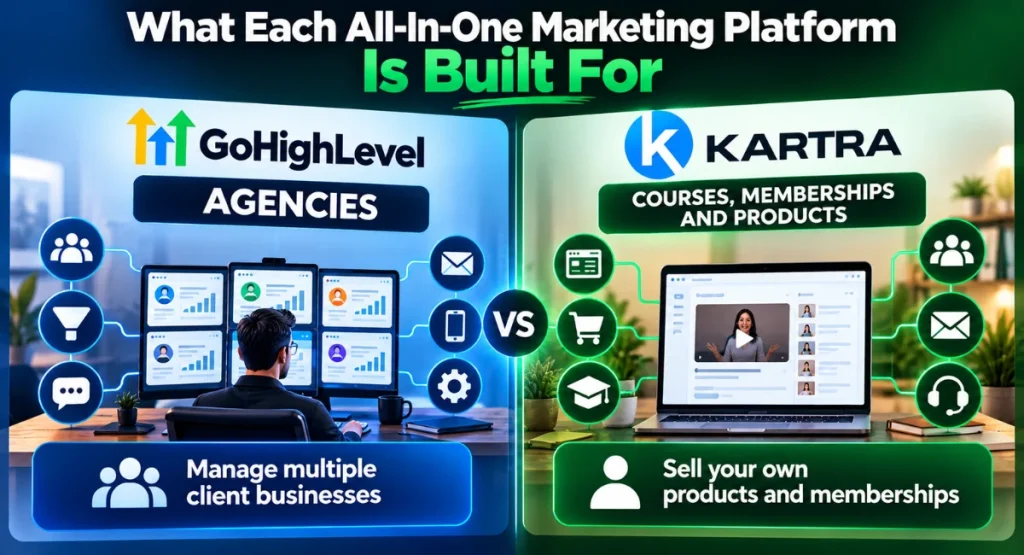
The trap most people walk into with Kartra vs GoHighLevel is comparing feature lists.
That’s like comparing a delivery van and a food truck by counting wheels.
Both have four, they both move, and they both get you to the customer.
What actually matters is what you’re doing when you get there.
So, what is GoHighLevel?
It’s a CRM and marketing platform built from the studs up for agencies that need to run many client businesses from one login. Pipelines, sub-accounts, reputation management, email and SMS automation, and the option to resell the whole stack as your own SaaS… that’s the engine.
Kartra, on the other hand, is a platform for selling your own courses, memberships and products. Pages, checkout, email, course delivery and a helpdesk all live in one place, and the onboarding is guided so you spend less time configuring and more time selling.
The question isn’t which tool has more features.
It’s whose business you’re building.
Pick on business model, not on a bullet-point count, because a feature you never use is just a line on a comparison chart you paid extra to have.
When your entire business depends on client pipelines, you don’t need a course-first platform.
When your income comes from your own membership, you don’t need client sub-accounts and a white-label mobile app.
Nail the model first, then the tool makes itself obvious.
The GoHighLevel Features That Pull Ahead

GoHighLevel’s advantage is depth for client work.
- Every client gets their own tidy sub-account with its own pipeline, calendar and automation
- SaaS mode on Founder lets you set your own monthly price for each client
- Conversation AI and Voice AI pick up the slack when you’re away from the desk
- A steeper learning curve than Kartra
- Usage-based charges on top of the subscription
- The platform also gives you more than a solo creator needs
GoHighLevel’s advantage is depth for client work. If you run an agency or manage marketing for other businesses, these are the bits that make the subscription earn itself back.
I’ve put together a detailed GoHighLevel review if you want the full walkthrough, but right now let’s look at the four areas where it genuinely pulls ahead.
GoHighLevel CRM and Pipelines
A GoHighLevel CRM gives every client their own sub-account, each with its own pipelines, calendars and automation.
That means you can see exactly where every lead is for every client without mixing deals together.
For an agency, that’s the difference between feeling organised and feeling like you’ve got 17 browser tabs open in your brain. Pipelines show you each deal’s stage at a glance, so nothing falls through the cracks just because you were busy putting out a fire for another client.
GoHighLevel White Label and SaaS Mode
Here’s where the business model flips. With GoHighLevel white label, you strip out the platform’s branding and replace it with your own.
Your clients log in and see your agency, not someone else’s software. It’s a small detail that changes how a client perceives your operation… suddenly you’re not a middleman, you’re the provider.
On the Founder plan ($497/month), SaaS mode goes a step further. You resell the platform to clients at your own price, turning a monthly cost into recurring revenue.
That’s not something Kartra offers at all, and for a growing agency it’s the feature that changes the maths.
GoHighLevel AI Tools
Conversation AI chats with leads on your site, and Voice AI actually answers phone calls, books appointments and asks qualifying questions while you sleep. For a small agency that can’t staff a 24-hour SDR, GoHighLevel AI closes more leads than a contact form ever will.
Both tools carry usage-based charges on top of your plan, so you’ll want to watch volume. But the upside is that a lead never goes cold just because you stepped away from your desk.
GoHighLevel Reputation Management
Automated review requests and AI review replies matter most when your clients are local businesses. A steady flow of fresh Google reviews is one of the fastest ways a plumber or a dentist ranks higher locally, and GoHighLevel handles the outreach without you chasing every client manually.
For an agency with a roster of service-area businesses, this little module alone often justifies the subscription.
Where Kartra Pulls Ahead for Course Creators

If you sell your own courses, memberships or digital products, Kartra gets you selling faster.
- The platform ships with 100 pre-built done-for-you campaigns
- Kartra’s course builder handles video, text, downloads, drip scheduling and progress tracking
- Checkouts are built in, so a buyer never leaves your page to pay
- Client sub-accounts: Not offered
- White label and reselling: Not offered
- Kartra webinars are fully retired on 1 December 2026
If you sell your own courses, memberships or digital products, Kartra gets you selling faster. It’s a genuine GoHighLevel alternative for that reader, and in this lane it often feels like the tool was designed for exactly one business… yours.
Kartra’s course builder handles video, text, downloads, drip scheduling and progress tracking. Secure membership areas lock content behind a paywall or a tag.
The platform ships with 100 pre-built done-for-you campaigns, so you’re not starting with a blank canvas and a blinking cursor.
That last bit matters more than it sounds. When you’re launching a course, the biggest time drain isn’t recording videos. It’s designing opt-in pages, thank-you pages, checkout sequences and follow-up email series from scratch.
Kartra hands you the whole launch playbook pre-built, so you drop in your content and branding and hit publish. For a creator who’d rather spend Saturday morning filming than configuring funnel steps, that’s the difference between a live offer and a half-finished dashboard.
Checkouts are built in, so a buyer never leaves your page to pay. That keeps things fast and removes one more third-party integration that can break.
On the Growth plan you unlock a helpdesk, so customer questions don’t pile up in your personal inbox, and affiliate management lets your own customers sell for you. When your product pays affiliates a cut, suddenly your marketing team is everyone who loves your course and wants a commission.
Kartra itself says most new users launch their first page, funnel or course within the first week. That tracks, because the guided onboarding and templates push you toward a live product fast, and the drag-and-drop builders don’t ask you to learn a whole new visual language.
Now, GoHighLevel does courses too. You can build and sell GoHighLevel courses through its funnel and membership features. But those tools are bolted on to an agency CRM.
Inside Kartra the entire platform is wired around your products, so everything from the email sequences to the upsell pages already knows what you’re selling and where the buyer is in the journey.
There’s a complete Kartra review on the site that digs into the course builder and membership settings in detail if you want to see the inside of the platform.
What Happens to Kartra Webinars in December 2026?
Kartra webinars go read-only on 1 November 2026. No new webinars, no new registrations, no replays.
Then on 1 December 2026 the feature is removed completely. If you’ve run webinars inside Kartra in the past, you can download your webinar data until 30 November 2026. After that it’s gone.
So if you have existing Kartra webinar recordings and registrant lists, here’s the move. Download everything before 30 November 2026. Export your registrants, grab your replay files, and store them somewhere safe.
Then rebuild your live webinar engine inside WebinarJam, which Kartra itself now recommends. You’ll lose nothing except a feature that was about to vanish anyway, and you’ll gain a dedicated live webinar platform.
A lot of comparison articles still list Kartra’s webinar feature as a reason to pick Kartra. Those comparisons are already out of date, and come 1 December they’ll be flat wrong.
Now, what about GoHighLevel webinars?
GoHighLevel builds the whole webinar funnel… registration pages, reminder emails, follow-up sequences, replay delivery. For the live broadcast itself, you plug in a streaming link from Zoom, YouTube Live or WebinarJam. So GoHighLevel webinars are really a funnel wrapper around a third-party live room, not a native live stream.
Neither platform is a complete live webinar room on its own. The fix for both sides is the same: WebinarJam.
Kartra course sellers who still run live sessions set up Kartra plus the dedicated webinar tool. GoHighLevel users drop a stream into a GoHighLevel funnel.
Check out WebinarJam if live teaching is still central to your offer, because it pairs with either platform without workarounds.
GoHighLevel Pricing vs Kartra Pricing
GoHighLevel pricing is from $97 per month, while Kartra pricing is from $59 per month. Both offer a 30-day free trial through this link.
The sticker prices sit reasonably close, but the real GoHighLevel pricing picture shifts fast once you look beyond the headline numbers.
| Plan | GoHighLevel | Kartra |
|---|---|---|
| Entry | Starter: $97/month ($970/yr) | Essentials: $59/month ($52/month annual) |
| Mid | Unlimited: $297/month ($2,970/yr) | Starter (Best Value): $119/month ($99/month annual) |
| Higher | Founder: $497/month ($4,970/yr) | Growth: $229/month ($189/month annual) |
| Top | Enterprise: custom pricing | Professional: $549/month ($429/month annual) |
Normally GoHighLevel gives you a 14-day trial, but this link extends it to 30 days and throws in a free setup bootcamp and bonuses. Kartra’s typical 14-day trial also becomes a 30-day trial through this link, plus you’ll get 30% off your first payment with code SteveW30. Kartra’s 30-day money-back guarantee still applies after that, so you’re covered if you change your mind.
Now, here’s the part most pricing pages skip. GoHighLevel’s subscription covers the platform, but email and SMS sending, inbound and outbound calling, and the AI tools all run on usage-based charges on top. You pay for volume, not just access.
If you’re scaling GoHighLevel email marketing or texting US leads, those charges add something to every plan. US business texting also requires A2P 10DLC registration, which brings its own one-time and monthly carrier fees. The platform doesn’t set those, but you’ll feel them just the same… so it’s worth reading up on A2P 10DLC fees before you commit.
On the Kartra side, the Essentials plan looks cheap at $59 per month. But it carries a 5% transaction fee and limits you to 500 contacts, one product and one course. That’s useful as a trial run, not a place to grow.
Kartra Starter removes the transaction fee, lifts the limits and adds video hosting and calendars. For most course sellers, Starter is the real starting point.
So, my recommendation. I recommend GoHighLevel Starter at $97 per month if you’re managing up to 3 client accounts and want unlimited contacts and users from day one. Once you pass that number, Unlimited at $297 removes the cap on GoHighLevel sub-accounts and the platform really starts earning itself back.
For Kartra, I recommend Starter at $119 per month for most course sellers because it removes the 5% fee, which more than justifies the price difference versus Essentials.
I’ve also broken down every tier in the plan-by-plan Kartra pricing breakdown so you can see exactly what flips at each level.
Is Kartra Easier to Set Up Than GoHighLevel?
Yes. Kartra gets you from login to a live product faster, because the whole platform is built around one business with guided onboarding and pre-built campaign templates. You’re not configuring pipelines or sub-accounts, you’re dropping your course content into a structure that already exists.
GoHighLevel has a steeper learning curve, and that’s not a design flaw. It’s just that the tool does more and the interface assumes you know which bits to ignore. The upside is that snapshots… ready-made account templates you can copy into a client account… cut agency setup time a lot once you’ve built them once.
For a solo creator, Kartra’s slope feels gentle: pick a campaign template, swap in your branding, upload your videos and you’re pretty much selling. GoHighLevel gives you a bigger workshop, which is brilliant when you need that range, but it asks you to learn where everything lives before you can build. That’s the trade-off.
Winner: Kartra. For a solo creator who wants to sell a course this week, Kartra’s setup feels like a guided walk. GoHighLevel feels like a workshop with every tool laid out at once, which is powerful but slower.
Choose GoHighLevel If You Serve Clients
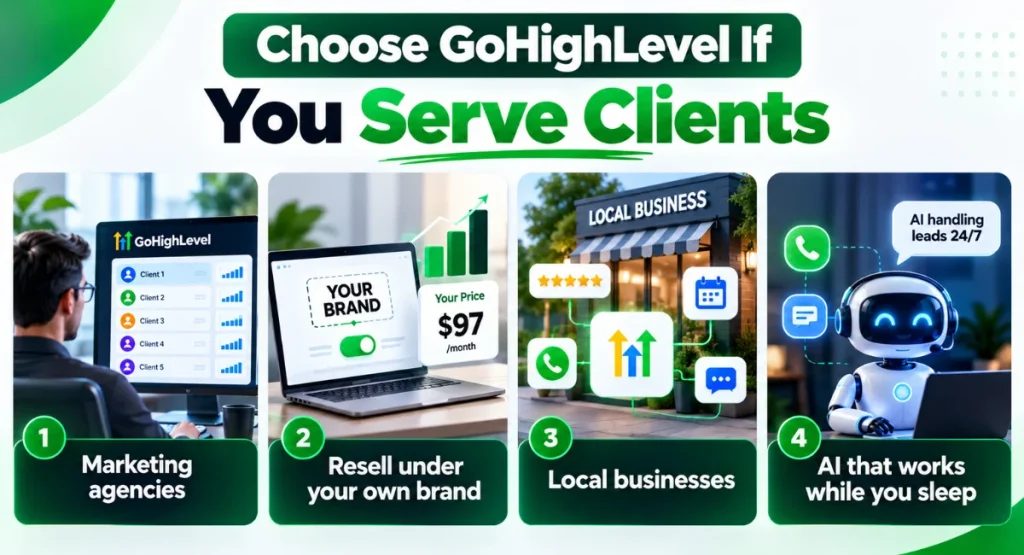
So, who actually belongs in GoHighLevel? These are the scenarios where the platform fits like a glove.
You’re a marketing agency running multiple client accounts. Every client gets their own tidy sub-account with its own pipeline, calendar and automation, and you switch between them without mixing data.
You want to resell software under your own brand. White label strips out GoHighLevel’s branding, and SaaS mode on Founder lets you set your own monthly price for each client, turning a cost centre into recurring revenue.
Your GoHighLevel agency work involves local businesses that need review collection, booking automations and missed-call text-back. Instead of stitching together five tools, you give each client a single login that handles their entire front-of-house.
Your brain lives in a sales pipeline, and you want AI answering leads while you sleep. Conversation AI and Voice AI pick up the slack when you’re away from the desk, so leads never go cold.
If that sounds familiar, get started here.
Choose Kartra If You Sell Your Own Courses
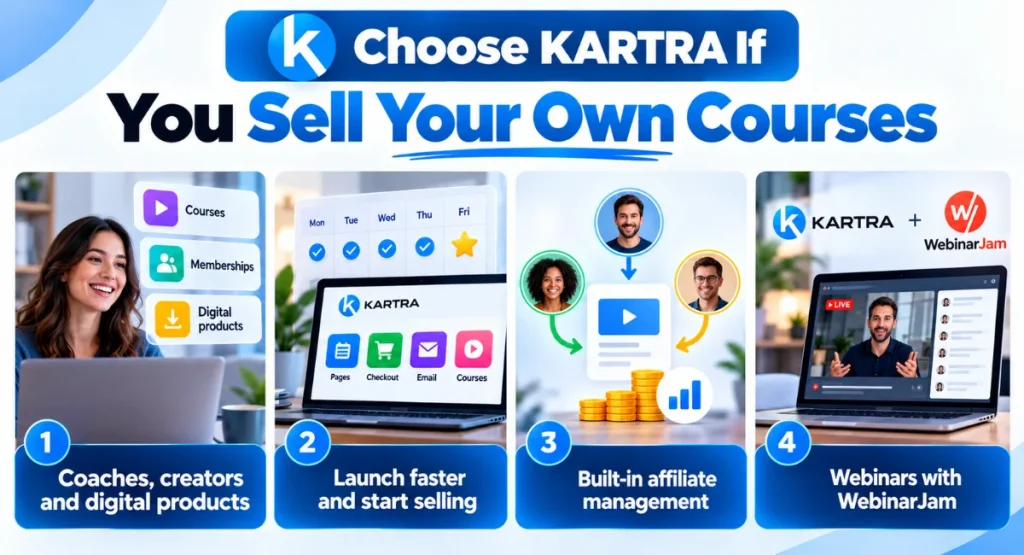
You’re a coach or creator selling one or two courses, a membership, or a digital download. You want the pages, checkout, email and course player all living in one place without a puzzle of integrations.
You want to launch something this week. Kartra’s done-for-you campaigns and guided setup mean you spend Monday setting up and Friday collecting your first sale, not mid-November still fiddling with funnel logic.
You’re planning to grow an affiliate programme so other people sell your product. On the Growth plan, Kartra’s affiliate management lets you set commission levels and track referral sales, and the built-in helpdesk catches buyer questions before they reach your personal inbox.
And if live webinars are still central to your offer, you pair Kartra with WebinarJam. Kartra handles the course and membership sales, the webinar tool runs the live room. That setup covers a creator end to end without the risk of a feature retiring underneath you.
If neither feels like the perfect home for your business, a couple of minutes answering a few questions about how you actually work will answer the “which funnel builder is right for me?” question. Our quiz matches you with the best option from 17 funnel builders and all-in-one platforms.
Frequently Asked Questions
Is GoHighLevel worth it?
Yes, for agencies and client-service businesses that will use the CRM, sub-accounts and automations daily. It’s less worth it for a solo course seller who would only use a fraction of the platform. If your work lives inside client accounts and sales pipelines, the return arrives fast; if you’re selling one course a year, you’re paying for capacity you’ll never touch.
What are the downsides of GoHighLevel?
A steeper learning curve than Kartra and usage-based charges on top of the subscription. The platform also gives you more than a solo creator needs, which can feel like paying for a kitchen when you only wanted a kettle. For an agency, those same extra tools are the reason you buy it, but for a single-product creator they’re just noise.
Is there a better alternative to GoHighLevel?
That depends on the business. Kartra is the better pick for selling your own courses and memberships with less configuration, and I compare a few more options in this sales funnel builder comparison. The real question is whether you serve clients or sell your own products; the alternative changes with the answer.
Is Kartra a CRM?
Yes, Kartra CRM combines pages, email, cart and memberships with lead tagging, scoring and behaviour-based segmentation. It is a built-in customer relationship management layer for your own business rather than a tool to manage multiple client businesses. Expect everything you need for your own leads, contacts and buyers, but not sub-accounts for different companies or visual deal pipelines.
Can I use GoHighLevel for free?
Neither platform has a permanent free plan, but through this link you get a 30-day trial for both instead of the usual 14 days. For GoHighLevel, that includes a free setup bootcamp and bonuses; for Kartra, you also get 30% off your first payment with code SteveW30. Usage-based charges (email, SMS, calls, AI) can apply during the GoHighLevel trial, so keep an eye on volume.
Can you sell products on GoHighLevel?
Yes, through GoHighLevel funnels, order forms with payment integrations, and the built-in courses and memberships features. It handles product sales, just not with the same course-first design Kartra offers. If your product sits alongside a client-service business, it works well; if selling courses is the whole business, Kartra’s tighter focus often feels more natural.
So, Which Platform Should You Pick?
The GoHighLevel vs Kartra decision really comes down to a single question. If you’re building for clients, managing pipelines across multiple businesses, or you want to resell the software under your own brand, GoHighLevel is the right call. The platform is shaped for that model, and the pricing clicks into place once you bring even a handful of clients aboard.
If you sell your own courses, memberships or digital products, Kartra gets you live with less friction. The guided setup, done-for-you campaigns and built-in checkout are all pointed at your product, not a client’s. For most solo creators, that means launching faster and spending less time learning a platform you’ll only use part of.
And if your course business depends on live webinars, the winning combo is Kartra plus WebinarJam. Kartra for the courses and the checkout, the webinar tool for the live room, and a setup that won’t break when December rolls around.

Steve West is the founder of entrepreneurnut.com, and has been working online since 2013. He specializes in SEO, YouTube, and affiliate marketing. Besides running his online business, he likes hiking, keeping fit, and eating cookies (which is why he needs to keep fit!)