

This blog is reader supported. If you click one of our links and make a purchase, we may receive a commission at no extra cost to you. In that event we thank you so much, for supporting our blog, it means the world to us. Have a great day!
Last Updated on 20th April 2026
If you’re comparing Skool vs Circle, you’re probably trying to avoid an expensive mistake.
Maybe you want to build a paid community, host courses, run live calls, and keep everything in one place. Or maybe you’re worried about choosing a platform that feels great now, but becomes limiting once your creator business grows.
That’s exactly where this comparison helps.
Both are strong community-building platforms, but they’re built for different kinds of creators. One leans into simplicity and fast setup. The other leans into flexibility, branding, and scale.
This guide breaks down what actually matters, so you can choose the right fit without getting lost in feature lists.
Skool vs Circle: Key Takeaways
- Skool is usually better for simplicity. It is easier to set up, easier for members to use, and works well for a simple paid community, mastermind, or coaching program.
- Circle is usually better for flexibility. It gives you more control over community organization, membership tiers, branding options, and access management.
- Skool wins on gamification. Its gamification features are built into the core experience, which can boost member engagement and community posts.
- Circle wins on scalability. It is stronger for branded communities, multiple offers, more advanced learning experiences, and larger learning communities.
- Pricing is not just the monthly fee. Transaction fees, subscription structure, and the need for external tools can change the real cost quite a bit.
- For most beginners, Skool feels easier. For creators planning a more premium or complex ecosystem, Circle often makes more sense long term.
What Is Skool? A Simple Community Platform for Courses and Engagement
What is Skool?
Skool is a community platform built for creators who want to combine a community, courses, and live calls in one simple place.
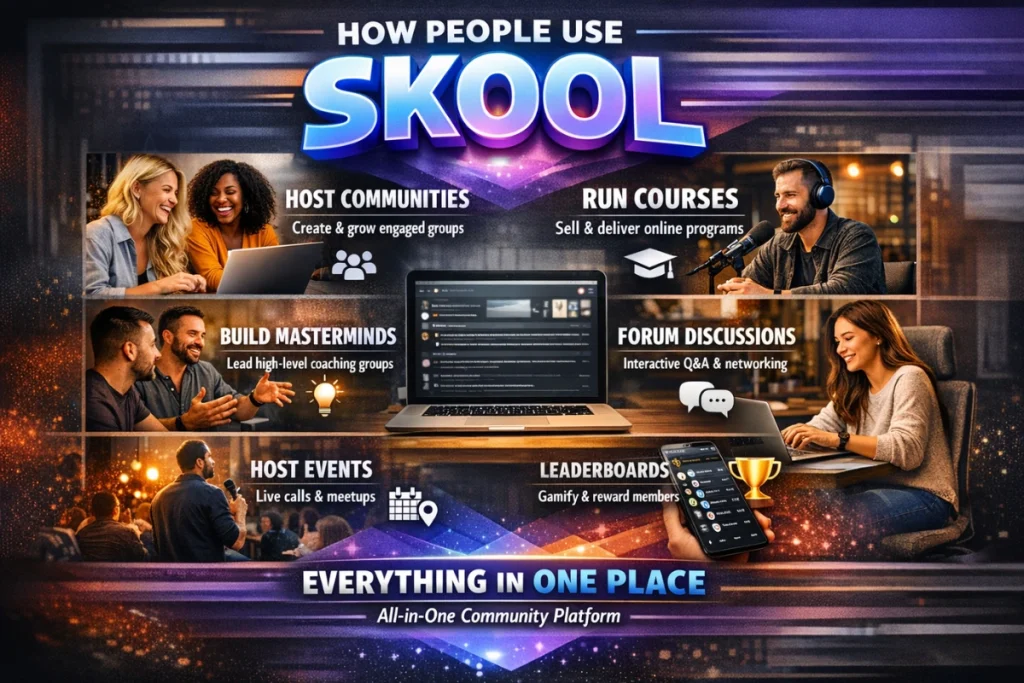
It is one of the most popular online community platforms for coaches, consultants, and online course creators who want to create a community without a lot of technical setup.
Instead of giving you lots of menus, hidden settings, or endless layout options, Skool keeps things tight.
You get:
- A Community feed for discussion
- A Classroom tab for course creation and video lessons
- A calendar for live events
- A members area with member profiles
- A leaderboard that powers its built-in gamification features
That simple setup is the main appeal.
For a lot of creators, it feels a bit like a cleaner, more focused Facebook group mixed with a lightweight course builder.
And that’s exactly why it has become so popular.
Who founded Skool?
Skool is closely associated with Sam Ovens, who is widely known as the public face and co-founder of the platform. Skool’s company profile also lists it as a Los Angeles-based business founded in 2019.
It also got a big visibility boost after Alex Hormozi publicly partnered with and promoted the platform, which helped push Skool further into the creator and coaching space.
That matters because Skool is not trying to be everything for everyone.
It is clearly built for creators selling transformation, education, accountability, and group-based offers.
How does Skool work?
At a high level, Skool is designed around one central idea:
Keep community interaction simple so people actually use it.
When someone joins, they create a Skool Account, enter your group, and immediately see the main community feed.
That feed is where most of the action happens.
You can publish:
- community posts
- prompts
- announcements
- wins
- questions
- discussion threads
This is great because it reduces friction.
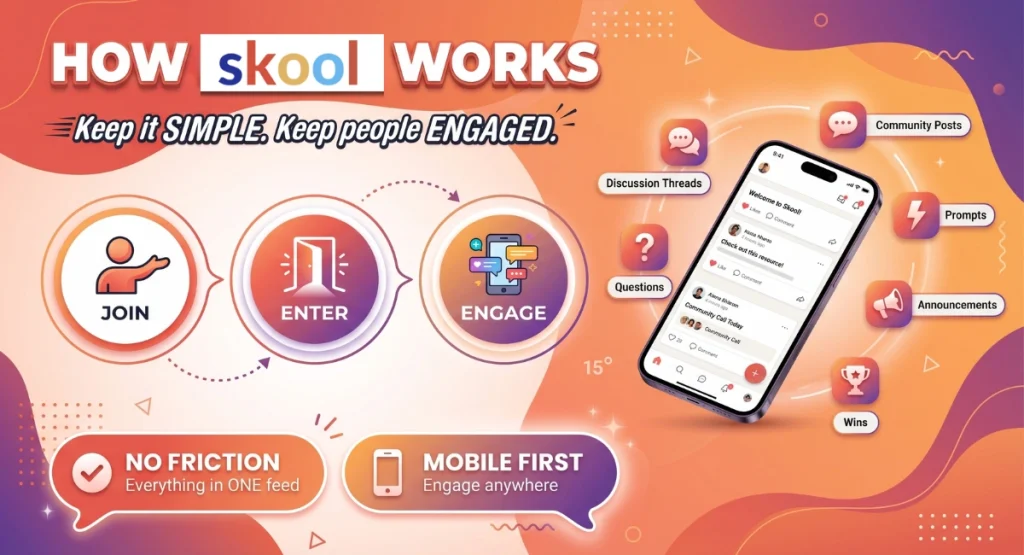
Members do not have to figure out where everything lives on the Skool platform. They can just log in, see what is happening, and join the conversation.
That tends to help with mobile engagement, especially for people who mostly interact on their phone.
What features does Skool include?
Skool keeps its community features intentionally lean, but it still covers the basics most creators need.
1. Community feed
This is the heart of the platform.
Instead of multiple spaces, Skool uses a single feed with categories. That means your community posts all live in one main place, which makes it feel lively and active.
For many creators, this feels familiar because it resembles a Facebook group, but with less distraction and better focus.
2. Classroom and course builder
Skool includes a built-in course builder for course creation.
You can upload or embed video lessons, organize modules, and drip out learning materials over time.
This works well for:
- simple online courses
- coaching programs
- challenge-based learning communities
- resource libraries
- onboarding content
It is not trying to be a full LMS.
But for many creators, that is actually a benefit.
Less clutter. Faster launch.
3. Gamification and leaderboard
This is where Skool really stands out.
Its gamification features are not an add-on. They are built into the platform itself.
Members can earn points through engagement, unlock levels, and move up the leaderboard.
That creates a light sense of competition, which can help increase community posts, replies, and overall member engagement.
For some learning communities, this is a big win.
Especially if your offer depends on people showing up consistently.
4. Calendar and live calls
Skool also includes a calendar for live events.
On lower plans, many creators still rely on external tools like Zoom or Google Meet for live sessions. On higher plans, Skool adds more native options.
That setup is fine for many creators, but it is worth noting if you want a more polished all-in-one experience.
Is Skool good for course creation?
Yes, if your course is community-led and fairly simple.
Skool is strong for course creation when your goal is to combine:
- community
- accountability
- weekly calls
- learning resources
- simple content delivery
It works especially well for:
- group coaching
- masterminds
- cohort offers
- beginner education products
- recurring community memberships
If you need advanced assessment tools, certificates, deep content management, or a more traditional academic setup, Skool can feel limited.
But if your goal is to deliver useful training inside an active community, it often does the job nicely.
Skool at a glance
Here is the simple version.
Skool is best described as a streamlined community platform for creators who want:
- easy setup
- strong community interaction
- simple course creation tools
- live calls
- member profiles
- built-in gamification
- fewer moving parts
That simplicity is the product.
And for the right creator, that is powerful.
Skool Pros and Cons
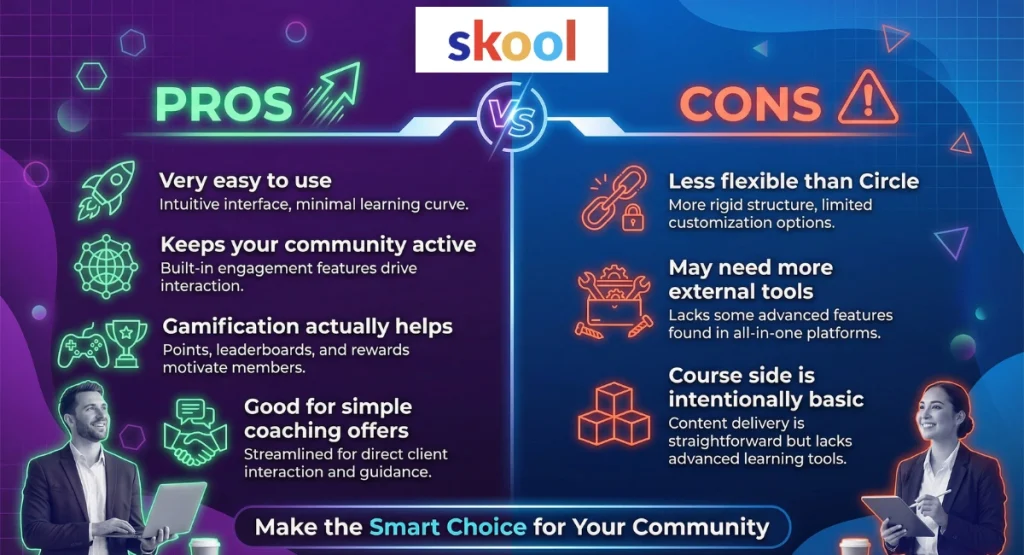
Skool Pros
1. It is very easy to use
Skool’s user interface is one of its biggest strengths.
Most people can join and understand it in minutes, which is great because a simpler experience usually means better participation.
2. It keeps your community active
The single-feed design encourages regular community posts, comments, and replies.
That can be especially helpful if you want a community that feels alive instead of fragmented.
3. The gamification actually helps
Skool’s built-in points, levels, and leaderboard are not just decorative.
They create a simple reward loop that can increase engagement without you needing to manually run automated rewards or complex systems.
4. It is good for simple coaching offers
If you run group coaching, weekly calls, or accountability-based coaching programs, Skool makes a lot of sense.
It is built for fast delivery, not endless setup.
Skool Cons
1. It is less flexible than Circle
Skool works best on a subscription basis, but it is much less flexible when you want multiple products, different access paths, or more advanced community organization.
That can become limiting as your business grows.
2. You may need more external tools
For more advanced email marketing, funnels, automations, and deeper workflows, many creators still rely on external tools.
That means the low monthly price does not always tell the full story.
3. The course side is intentionally basic
Its course builder is useful, but the course creation tools are fairly lightweight.
That is often fine for simple learning communities, but not ideal if you want richer learning experiences.
Who Is Skool Best For? Best Fit for Simple Paid Communities and Coaching Programs
Who should choose Skool?
Skool is best for creators who want a simple paid community that is easy to launch, easy to manage, and easy for members to actually use.
That is the short answer.
If your main goal is to get people into one place, keep them engaged, and deliver content without overcomplicating things, Skool is often a strong fit.
Skool is best for these types of creators
1. Creators launching their first paid community
If this is your first time trying to Create A Community, Skool is appealing because the setup is straightforward.
You are not spending hours trying to Create Space after Create Space, setting permissions, or building a complex member journey before you even open the doors.
You can move quickly.
That matters.
A lot of creators never launch because they get stuck in setup mode.
2. Coaches running simple group offers
Skool works especially well for:
- group coaching
- accountability communities
- mastermind groups
- habit-based programs
- recurring support memberships
If your offer is built around weekly calls, community check-ins, shared wins, and a library of video lessons, Skool fits naturally.
This is great because your members are not jumping between five different online platforms just to stay involved.
3. Creators who want engagement more than customization
If your priority is:
- more replies
- more member activity
- more consistent check-ins
- more visible wins
…Skool has an edge.
Its built-in leaderboard and community-first design are built for member engagement.
That is one reason so many creators use it for learning communities and coaching programs rather than just static course delivery.
When Skool may not be the best fit
Skool is less ideal if you want:
- multiple membership tiers
- advanced email marketing
- strong branding options
- deep workflow automation
- more advanced access rules
- a fully branded experience
It can absolutely work for a lean creator business.
But if you want a more premium, layered ecosystem with different offers, access levels, and a polished brand feel, you may outgrow it faster than you expect.
Skool best-for summary
Choose Skool if you want simplicity, speed, and engagement.
It is especially strong for:
- first-time community builders
- simple paid learning communities
- recurring coaching communities
- creators who want fewer moving parts
- creators who care more about participation than customization
If that sounds like you, Skool makes a lot of sense.
What Is Circle? A More Flexible All-in-One Platform for Branded Learning Communities
What is Circle?
Circle is a more advanced community platform built for creators who want more structure, more control, and more ways to grow a branded community over time.
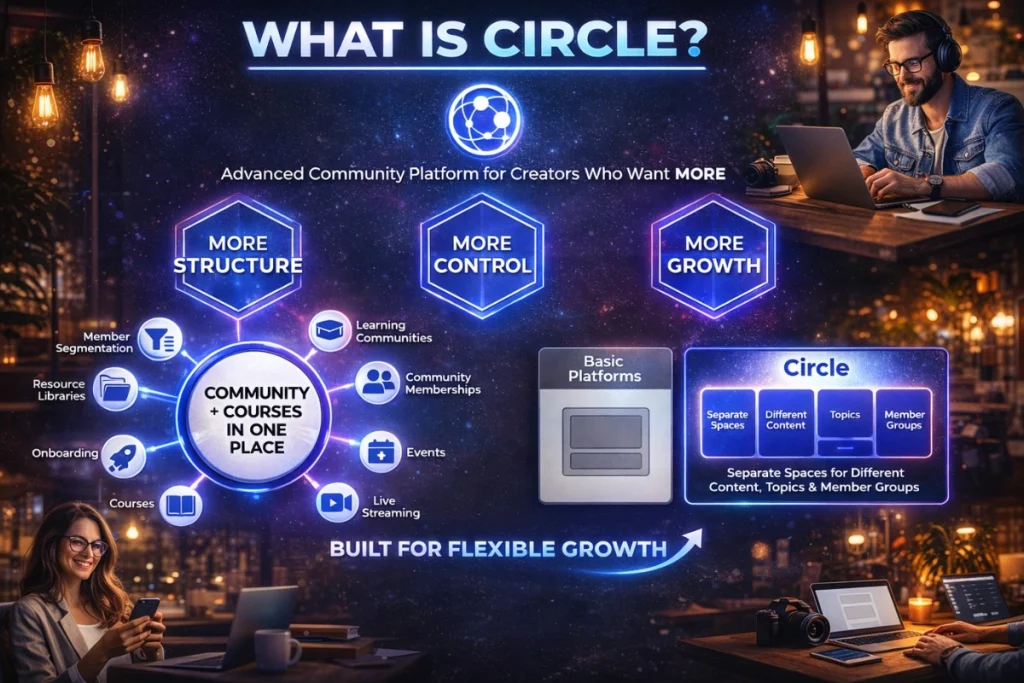
Like Skool, it helps you combine community and course creation in one place.
But the experience is very different.
Instead of one main feed, Circle lets you build a more organized environment using separate spaces for different content types, topics, and member groups.
That is a big deal.
It means Circle is not just built for “one community plus one course.”
It is built for creators who want a more flexible system for:
- learning communities
- community memberships
- events
- live streaming
- courses
- onboarding
- resource libraries
- member segmentation
In simple terms, Skool feels like a focused community room.
Circle feels more like a full community hub.
How does Circle work?
Circle’s structure is based around Spaces and Space Groups.
A Create Space workflow lets you build separate areas for different types of content or different types of members.
For example, you might create:
- a general discussion area
- a wins and introductions space
- a Q&A space
- a resource library
- a course space
- a private VIP member area
- a live events hub
Then you can organize those inside Space Groups.
This is excellent for community organization because it gives your members clearer paths and reduces feed chaos as your community grows.
It also makes Circle stronger for creators who want different access levels inside the same ecosystem.