

Designrr Pricing 2026 | Plans, Credits & Hidden Lifetime Deals
If you searched for Designrr pricing, chances are you want a straight answer before you buy.
Maybe you’re trying to work out whether the monthly plans are worth it.
Maybe you’ve heard about the $27 lifetime deal and want to know what it really includes.
Or maybe you’re confused about credits, WordGenie, and those harder-to-find Pro and Premium lifetime offers.
Fair enough.
The problem is that Designrr’s public pricing page gives you the broad picture, but not always the full picture in a beginner-friendly way.
This guide fixes that.
You’ll see the monthly plans, what each tier is best for, how the $27 one-time payment works, what the hidden LTDs usually look like, and whether paying more actually makes sense for your use case.
Key Takeaways
- Designrr’s prices currently centres around Standard, Pro, and Premium monthly plans, plus a widely available $27 lifetime deal for the Standard tier.
- The $27 lifetime deal is usually the best-value entry point for beginners who want to create a PDF ebook, lead magnet, or simple client asset without a monthly fee.
- Pro is the better fit if you need Amazon KDP publishing, 3D mockups, more export flexibility, and stronger publishing features.
- Premium makes more sense for content creators who want to turn videos, podcasts, and audio into ebooks, audiobooks, or other repurposed assets.
- WordGenie credits are used for AI writing only. They are not used when you import your own content, format pages, apply global Styling, or export your final file.
- If you mainly repurpose your own Google Docs, Word Docs, or blog content, the Standard plan is often enough.
- The hidden Pro LTD and Premium LTD offers are real, but they are usually not listed on the public pricing page.
Designrr Pricing Comparison Table (Quick Answer)
| Plan | Pricing Type | Best For | Main Benefits | Best Fit |
|---|---|---|---|---|
| $27 Lifetime Deal | One-time payment | Beginners | Lowest-risk entry point, no monthly fee, strong for lead magnets and simple ebook creation | New users, coaches, bloggers, consultants |
| Standard Monthly | Monthly | Flexible entry | Good for testing the tool before committing, ideal for basic content import and PDF ebook creation | Users who want flexibility |
| Pro Monthly | Monthly | Advanced publishing | Kindle export, 3D mockups, project cloning, more import/export options | Authors, product sellers, creators using Amazon KDP |
| Premium Monthly | Monthly | Repurposing at scale | Video/audio transcription, audiobooks, AI image generation, custom templates, print-ready outputs | YouTubers, podcasters, serious content creators |
Designrr Cost Explained (2026 Overview)
What Is Designrr?
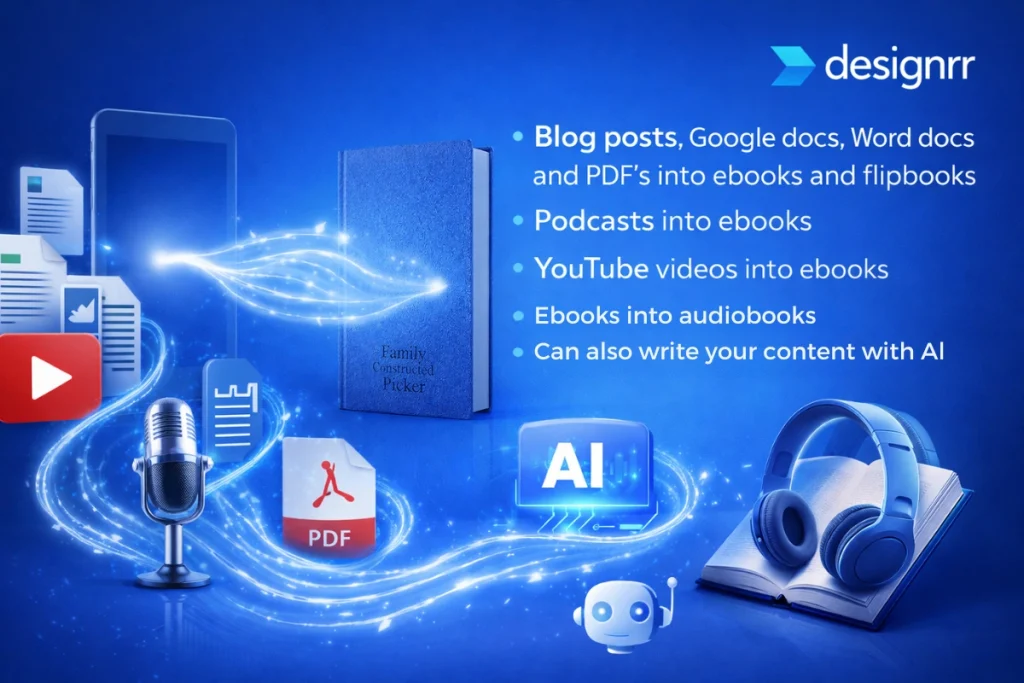
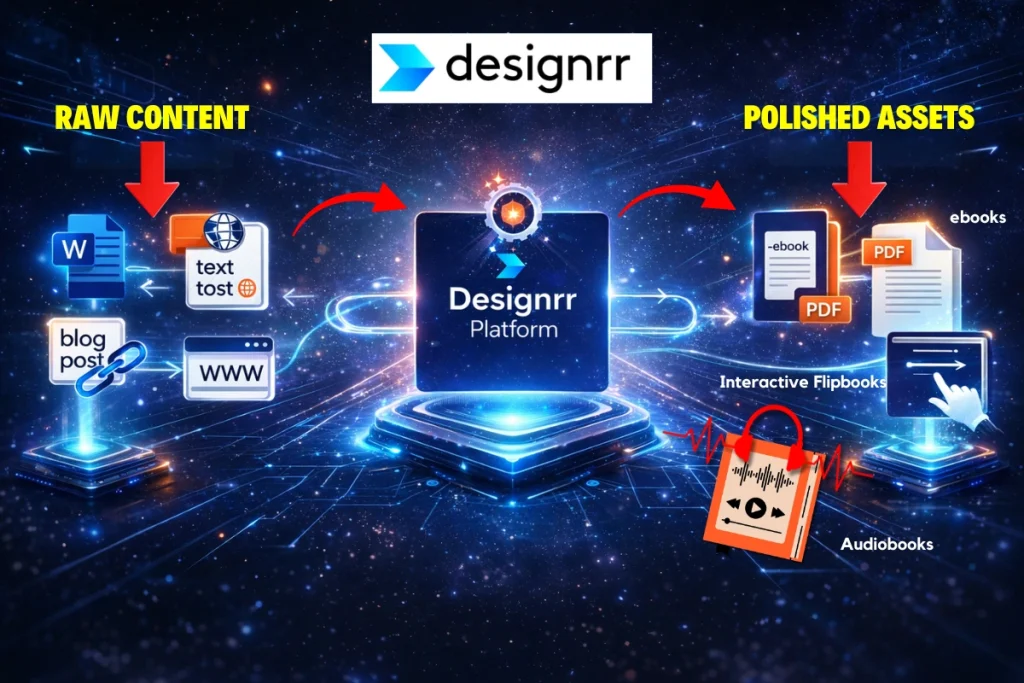
The Designrr ebook creator is essentially a content repurposing platform.
At its core, it helps you import content, format it quickly, and turn it into polished digital assets like lead magnets, reports, guides, and interactive-style publications. Depending on the plan, it can also create Animated Flipbooks, export Epub files, generate audiobooks, and repurpose spoken content into written assets.
That matters because many people do not need a full design tool. They need a fast way to turn existing content into something they can actually publish, share, or sell.
That’s where Designrr stands out.
Why Designrr’s Price Tiers Feels More Confusing Than They Should
The short answer?
The public pricing page shows the broad plan structure, but it does not always make every key difference obvious at a glance.
For example:
- The public plans are easy enough to spot
- The $27 lifetime deal sits on a separate special-offer page
- Pro and Premium lifetime offers are usually not front-and-centre
- The WordGenie credit system is often misunderstood
- Some benefits matter far more than the raw feature list
That last point is important.
A feature list tells you what’s there. A useful pricing guide tells you whether paying more will actually help you get a better result.
That’s what we’re doing here.
How Much Does Designrr Cost in 2026?
At the time of writing, Designrr’s public-facing pricing structure is broadly positioned like this:
- Standard – entry-level monthly plan
- Pro – advanced publishing plan
- Premium – advanced repurposing and AI-enhanced plan
- Business / Agency tiers – higher usage or client-focused plans
Designrr’s own recent content also references pricing around $29/month for Standard, $39/month for Pro, and $49/month for Premium, while noting that the $27 Standard plan lifetime deal is often available for Standard-level access. That pricing appears in Designrr’s own 2026 content aimed at creators and plan comparisons.
The important part, though, is not just the monthly number.
It’s what each plan actually lets you do.
And for most people, that is the real buying decision.
Designrr Monthly Plans (Standard, Pro & Premium)
Designrr Standard Plan
The Designrr Standard plan is the entry point, and for many people, it is more than enough.
This plan is built around simple, fast eBook creation from content you already have. That could be:
- Google Docs
- Word Docs
- web pages such as blog posts
- plain text
- existing notes
- short guides
- lead magnet drafts
This is great because it lets you turn content you already own into a clean, professional asset without hiring a designer or rebuilding everything manually.
On the public special offer page, Designrr specifically highlights that the lower-tier offer supports importing from blog URLs, Word Docs, Google Docs, and text, plus publishing PDFs, reports, whitepapers, lead magnets, and Animated Flipbooks.
This plan also comes with 100+ templates, 900 Google Fonts, unlimited Image Search, and unlimited Icon Search.
That’s a strong baseline.
Especially if your main goal is lead generation.
Who Should Choose the Standard Plan?
The Standard plan is usually best for:
- bloggers repurposing Blog Posts
- coaches building lead magnets
- consultants growing an email list
- course creators making downloadable guides
- service businesses creating a quick business guide
- newer content creators who want a low-risk entry point
If your workflow is mostly:
- Import content
- apply global Styling
- choose a template
- export a polished PDF ebook
…then Standard will likely cover most of what you need.
And that’s exactly why the next section matters.
Because if Standard already does what you need, the $27 lifetime deal becomes much more compelling.
Designrr Pro Plan
The Designrr Pro plan is where the platform starts to feel less like a simple ebook builder and more like a stronger publishing tool.
In practical terms, the standout Pro benefits include:
- direct publishing to Amazon KDP
- 3D book cover and mockup creation
- more advanced Content Import options
- project cloning for faster production
- stronger export and repurposing flexibility
That matters because once you move beyond a basic lead magnet, presentation becomes more important.
A flat PDF can still work very well. But if you want something that looks more like a product, a 3D cover or mockup can make a big difference on landing pages, checkout pages, and even social media creatives.
It is not just cosmetic.
It helps your asset look more valuable, which can improve clicks and perceived quality on direct sales platforms and opt-in pages.
Who Should Choose the Pro Plan?
The Pro plan is usually the better fit if you want to:
- publish ebooks to Amazon KDP
- create more polished digital products
- produce multiple variations faster using cloned projects
- improve how your ebook looks on sales pages
- sell through direct sales platforms rather than just give away a free PDF
This is also a better choice for content creators who are already thinking beyond simple lead magnets.
If you are building a paid offer, a low-ticket ebook, or a digital product funnel, Pro gives you more packaging power.
That is the real benefit.
Not just “more features.”
More leverage.
Designrr Premium Plan
The Designrr Premium plan is where Designrr shifts into a broader content repurposing and asset-creation tool.
Instead of only repurposing written content, Premium opens the door to repurposing spoken content too.
That is a very different use case.
And for the right user, it can be a huge time-saver.
The Premium-level benefits most often highlighted include:
- create audiobooks
- turn podcasts into ebooks
- transcribe YouTube videos into ebooks
- repurpose other video files into written content
- AI image generation for ebook visuals
- create custom templates
- produce print-ready books
This is powerful because it supports a more complete Content Marketing workflow.
For example, a YouTube video can become:
- a lead magnet
- a short PDF ebook
- an email nurture asset
- a bonus guide
- a print-ready workbook
- or a digital product sold on direct sales platforms
That kind of repurposing can support a much smarter hybrid revenue model.
Instead of relying on one content format, you can turn one core piece of content into multiple assets for your email list, offers, and audience-building.
That is where Premium starts to justify the extra cost.
Who Should Choose the Premium Plan?
Premium is usually the best fit if you:
- run a YouTube channel
- publish podcast episodes
- create lessons, workshops, or webinars
- want to repurpose video into lead magnets
- want audiobook outputs
- need custom-branded templates
- want stronger AI-enhanced production tools
If your business is built around content, and you already create regularly, this plan can save time while helping you get more value from every piece of content you publish.
For many content creators, that is the real win.
Not just faster production.
Better asset multiplication.
Designrr Agency / Business Plans
There are also higher-level plans aimed at agencies, teams, or heavier users.
In simple terms, these tiers are better suited to people doing client work, managing multiple brands, or using the tool at a higher volume.
If you are mainly a solo creator, coach, consultant, or small business owner, the real decision is usually between Standard, Pro, Premium, and the $27 lifetime deal.
What Does the $27 Designrr Lifetime Deal Include?
Is the $27 Designrr Lifetime Deal Real?
Yes.
The $27 Designrr lifetime deal is real, and it is one of the main reasons this tool gets so much attention.
The catch is that it is usually not presented as the main front-end offer on the public pricing page.
Instead, it tends to live on a separate, hidden special-offer page.
That is why many people hear about it in YouTube videos, blog posts, or emails before they ever see it on the main website.
What the $27 Lifetime Deal Actually Includes
This is the key point:
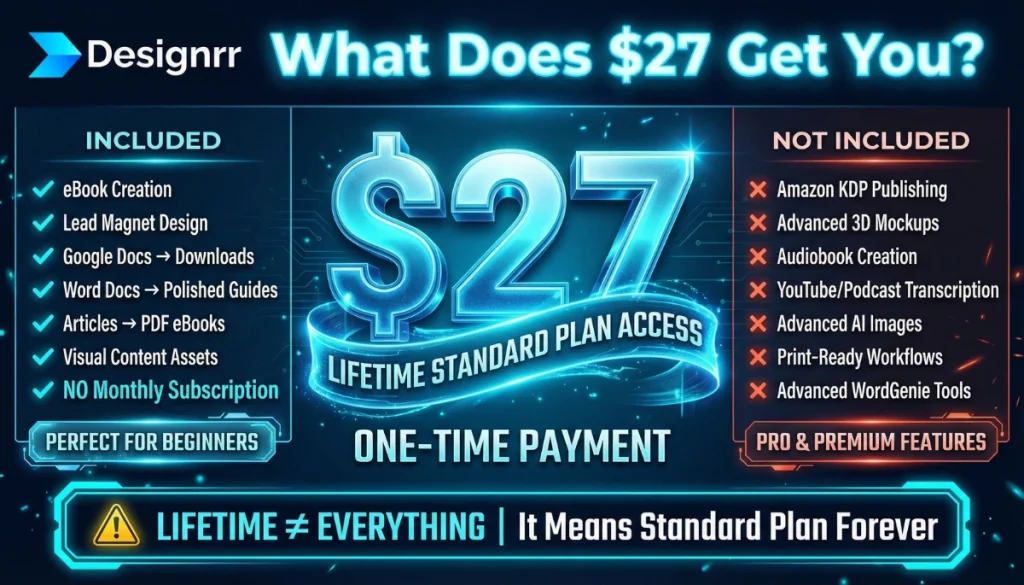
The $27 one-time payment usually gives you lifetime access to the Standard plan.
That means it is best thought of as a low-cost, low-risk entry point into Designrr.
You pay once, and you keep access to the core Standard-level features used for:
- eBook creation
- lead magnet design
- turning Google Docs into downloadable assets
- turning Word Docs into polished guides
- converting articles or existing content into a PDF ebook
- creating visual content assets without a monthly subscription
This is great because it gives you the main “useful” part of Designrr without forcing you into recurring costs straight away.
For beginners, that is often the smartest move.
Especially if you are still validating your pricing strategy, lead magnet offer, or content funnel.

What the $27 Lifetime Deal Does NOT Include
Just as important:
The $27 deal is not the Pro plan.
And it is not the Premium plan.
That means you should not expect it to include the higher-tier benefits such as:
- full Amazon KDP publishing workflow
- advanced 3D mockup tools tied to higher tiers
- audiobook creation
- YouTube or podcast transcription
- advanced AI image generation
- print-ready book workflows
- some of the more advanced WordGenie or repurposing tools
This is where buyers sometimes get disappointed.
Not because the deal is bad.
But because they assumed “lifetime” meant “everything.”
It doesn’t.
It means Standard plan lifetime access.
That said, for the right person, that is still excellent value.
Is the $27 Designrr Lifetime Deal Worth It?
For many users, yes.
In fact, for beginners, it is often the best-value way to get started.
If your main goal is to build:
- lead magnets
- short reports
- client PDFs
- checklists
- downloadable guides
- simple visual assets for your email list
…then the $27 lifetime deal is hard to ignore.
It gives you a practical tool for eBook creation without locking you into a subscription.
That makes it attractive for solo creators, coaches, consultants, and smaller businesses that want a cleaner, simpler pricing strategy.
And this is where things get more interesting.
Because once people realise the $27 deal is Standard-only, the next question is usually:
“What about the hidden Pro and Premium lifetime deals?”
That is exactly what we’ll cover next.
Hidden Designrr Lifetime Deals (Pro LTD & Premium LTD)
Does Designrr Offer a Pro Lifetime Deal?
Yes — but this is where things get less obvious.
The Designrr Pro LTD is usually not listed on the public pricing page, and there is often no stable public link for it.
Instead, it may appear as a checkout upgrade after you go through the $27 Designrr lifetime deal page.
So if you buy, or begin to buy, the Standard lifetime offer, Designrr may present a one-time Pro upgrade during the purchase flow.
That is why some people know it exists, while others cannot find it anywhere.
Does Designrr Offer a Premium Lifetime Deal?
Sometimes, yes, but it is not always available.
But the Designrr Premium LTD is even harder to find.
It is generally not a front-end public offer. Instead, it is occasionally sent to existing customers by email (like once or twice per year, max!)
That includes:
- monthly subscribers
- users who already bought the $27 lifetime deal
- people on Designrr’s customer email list
In other words, the higher-tier LTDs follows a more strategic pricing strategy.
The $27 deal gets you in.
Then Designrr may present additional upgrade paths later, either in the funnel or by email.
That approach is common on direct sales platforms, and it can work well for buyers too, because it lets you start small before deciding if the advanced features are worth it.
Designrr WordGenie Credits Explained
What Are Designrr Credits?
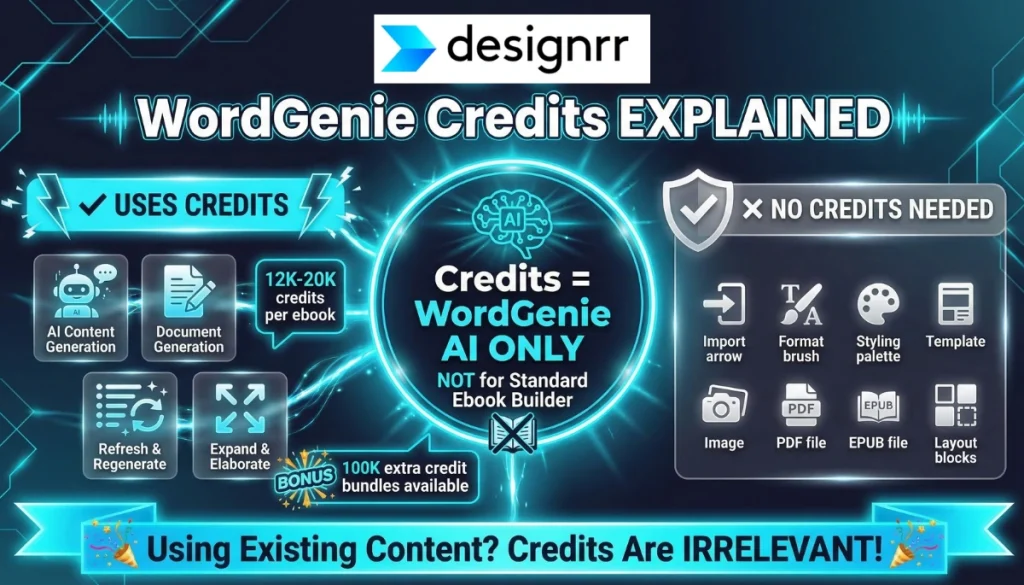
Designrr credits are used only for WordGenie, which is the platform’s built-in AI writing system.
They are not used for the standard ebook builder.
Many buyers assume credits are required for normal content import, styling, and export.
They are not.
What Uses Credits?
Credits are used when WordGenie is doing AI-assisted writing work, such as:
- generating ebook content
- creating outlines
- regenerating sections
- expanding or rewriting content
A typical full ebook can use roughly 12,000 to 20,000 credits, depending on how much AI generation you use.
If you run out, extra bundles are often available. A common example is around 100,000 extra credits, though pricing can vary.
What Does NOT Use Designrr Credits?
Credits are not used when you:
- Import content
- format pages
- apply global Styling
- use templates
- add images
- export a PDF ebook
- export Epub files
- create layout-based assets
So if your workflow is mainly:
- bring in existing content
- tidy it up
- style it
- export it
…then credits are mostly irrelevant.
And for many users, that is very good news.
WordGenie Standard vs WordGenie Pro
What’s the Difference?
The simple version is this:
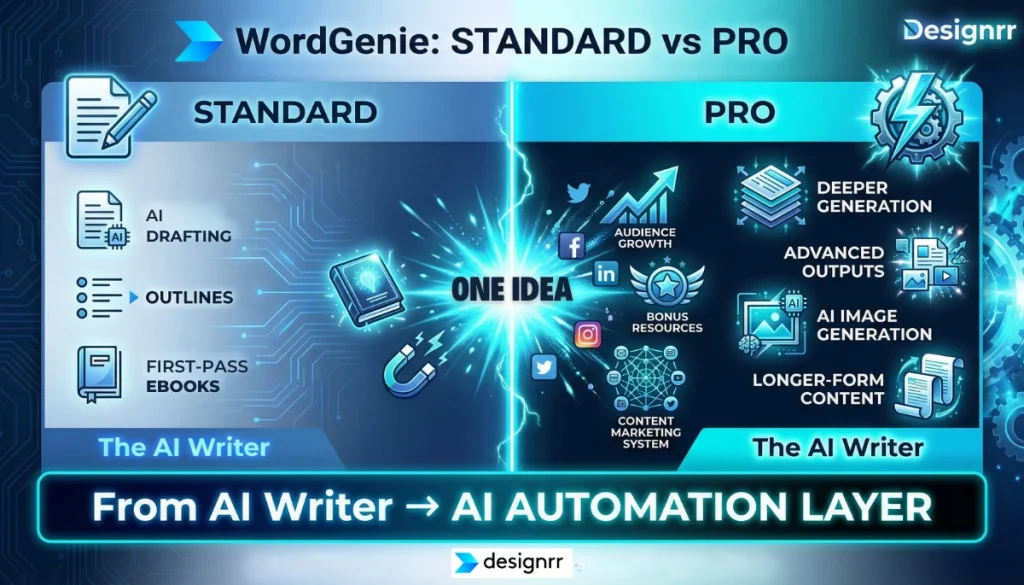
- WordGenie Standard helps with basic AI drafting, outlines, and first-pass ebook creation
- WordGenie Pro offers deeper generation, more advanced outputs, AI image generation, and stronger AI-assisted production
That includes longer-form content, richer asset support, and extra tools that help content creators turn one idea into more usable assets.
For example, Pro-level workflows are more aligned with people creating content for:
- ebooks
- lead magnets
- social media
- audience-building
- bonus resources
- broader Content Marketing systems
This is where the value shifts from “AI writer” to more of an AI-driven automation layer inside the platform.
Useful, if you need it.
Unnecessary if you don’t.
Which Designrr Plan Should You Choose?
Best Option for Most Beginners: The $27 Lifetime Deal
For most beginners, the $27 lifetime deal is still the strongest starting point.
It is simple, low-risk, and covers the most common use case:
turning existing content into a polished lead magnet or PDF ebook.
If you mainly work with:
- Google Docs
- Word Docs
- simple guides
- lead magnets
- client PDFs
- short downloadable assets
…this is usually enough.
Choose Pro If You Need Better Publishing Features
Choose Pro if you specifically want:
- Amazon KDP publishing
- 3D covers and mockups
- project cloning
- more advanced Content Import
- stronger product-style presentation on sales pages
This is a better fit for people selling digital products, building out offers, or using Amazon KDP as part of their distribution. If you’re selling on Amazon KDP, then be sure to check their content guidelines before publishing.
Choose Premium If You Need Content Repurposing at a Higher Level
Choose Premium if your business relies heavily on content, especially video or audio.
It makes the most sense for content creators who want:
- YouTube-to-ebook workflows
- podcast-to-ebook workflows
- audiobook creation
- AI image support
- custom templates
- stronger repurposing for social media, lead magnets, and product assets
If that sounds like your world, Premium can be a smart upgrade.
If not, Standard or Pro is often the more sensible move.
Designrr Price FAQs
Is Designrr free?
No, Designrr is not free. Designrr offers monthly price plans as well as a few lifetime deals. All Designrr monthly plans come with a 7 day free trial.
Is Designrr a one-time payment?
Designrr offers both monthly plans and a one-time payment option. The most well-known one-time offer is the $27 lifetime deal, which usually gives lifetime access to the Standard plan.
Is Designrr Premium worth it?
Designrr Premium is worth it if you regularly create video, audio, or long-form content and want to repurpose it into ebooks, audiobooks, or other assets. For lighter use, Standard or Pro is usually better value.
Is Designrr good for lead magnet creation?
Yes. Designrr is especially good for lead magnet creation because it makes it easy to turn existing content into a polished PDF ebook, guide, checklist, or short downloadable resource.
Who Owns Designrr?
Designrr was founded by Paul Clifford, a long-time software entrepreneur in the digital publishing and online marketing space.
Does Designrr Use AI?
Yes. Designrr includes AI features through WordGenie, which can help generate outlines, draft ebook content, and support AI-assisted content creation workflows.
Final Thoughts On Designrr’s Price Plans
If you are trying to choose the right Designrr pricing option in 2026, the simplest answer is this:
Most people should start with the $27 lifetime deal, especially if they mainly want to turn existing content into lead magnets, client resources, or a polished PDF ebook without paying monthly.
Pro is worth it if you need Amazon KDP, 3D mockups, and stronger publishing tools. Premium is the better fit for content creators who want to repurpose video, audio, and long-form content into multiple assets more efficiently.
The key is simple.
Do not overbuy too early.
Start with the plan that matches what you actually need now, then upgrade only when a specific feature will clearly help you get a better result.